Advertiser Disclosure
We independently review everything we recommend. When you buy through our links, we may earn a commission.
How to Reduce Eye Strain During Long LEGO Building Sessions
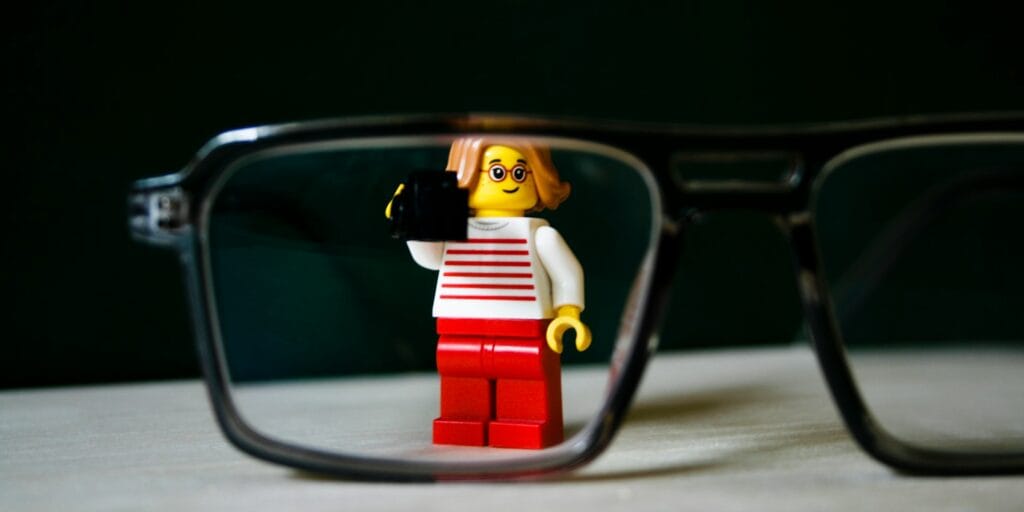
You know that feeling, right? You’ve been deep into building that massive 4,000-piece Star Wars Millennium Falcon for hours, completely lost in the zone. The cockpit is taking shape beautifully, those tiny gray pieces are finally coming together, and then suddenly—bam! Your eyes feel like they’ve been replaced with sandpaper. Everything’s blurry, there’s a dull ache behind your eyeballs, and you’re squinting at those instruction booklets like you’ve aged thirty years in one afternoon.
We’ve been there. Our assessment team has collectively logged thousands of hours building everything from Architecture sets to Technic masterpieces, and we’ve learned the hard way that eye strain isn’t just an annoying side effect of our favorite hobby—it’s a legitimate concern that can turn your relaxing build session into an uncomfortable ordeal.
Here’s the thing: according to the Vision Council, approximately 59% of adults who regularly use digital devices or engage in close-up work report symptoms of digital eye strain. When you’re sorting through hundreds of tiny LEGO pieces, reading detailed instructions, and focusing intensely for extended periods, you’re essentially putting your eyes through an endurance test they weren’t designed for.
Why LEGO Building Strains Your Eyes
When you’re building with LEGO, your eyes are working overtime in several ways. First, there’s the constant close-up focus. Most of us hold pieces between six to twelve inches from our faces, and maintaining this focal distance for extended periods forces our eye muscles to stay contracted. It’s like holding a bicep curl for hours—eventually, those muscles get tired and achy.
Additionally, you’re dealing with what eye doctors call “accommodation stress.” Your eyes constantly adjust and readjust as you switch between looking at the instruction manual, searching through your piece pile, and assembling the model. This constant refocusing creates fatigue in the ciliary muscles inside your eyes, which control your lens shape for focusing.
There’s also the blinking issue. Studies show that people blink about 66% less frequently when concentrating on detailed tasks. Normal blinking rates sit around fifteen to twenty times per minute, but when we’re engrossed in building, that number can drop to as low as five or six blinks. Fewer blinks mean dryer eyes, which leads to irritation, redness, and that gritty feeling we mentioned earlier.
Moreover, many builders don’t realize they’re dealing with inadequate lighting conditions. Those tiny LEGO pieces come in similar colors and shades, and distinguishing between dark gray and black, or different shades of blue, requires excellent lighting. When lighting isn’t optimal, your eyes strain harder to make out details, accelerating fatigue.
Finally, there’s the screen factor if you’re using digital building instructions. Many modern sets offer digital guides through apps, and screen time adds another layer of eye strain through blue light exposure and screen glare.
The 20-20-20 Rule: Your New Best Friend
Let’s start with the simplest and most effective technique our team swears by: the 20-20-20 rule. This isn’t some complicated strategy or expensive equipment—it’s just a smart habit that makes a massive difference.
Here’s how it works: every twenty minutes, take a twenty-second break and look at something at least twenty feet away. That’s it. Simple, right? But the impact is huge.
When you look at something far away, your eye muscles relax from that sustained near-focus position. It’s like giving your eyes a mini stretch break. During our team builds, we actually set phone timers to remind us. At first, it felt interruptive, but now it’s second nature, and honestly, our building sessions have become much more enjoyable because we’re not ending them with throbbing headaches.
The beauty of this rule is that twenty seconds isn’t long enough to lose your place or your momentum. You can glance out a window, look across the room at a poster, or simply gaze at the far wall. Some of our team members use these moments to mentally plan their next steps or appreciate the progress they’ve made.
What’s more, this rule has solid science behind it. The American Optometric Association recommends this technique specifically for reducing computer vision syndrome, and it applies perfectly to LEGO building.
To make this even easier, we’ve found that building near a window provides natural distant viewing opportunities. Plus, natural light is easier on your eyes than artificial lighting, which brings us to our next crucial point.
Lighting: The Often-Overlooked Game Changer
Lighting might seem obvious, but you’d be surprised how many LEGO enthusiasts build in terrible lighting conditions without realizing it. We’ve visited fellow builders’ workspaces and seen everything from single dim overhead bulbs to harsh fluorescent lighting that would make anyone’s eyes water.
Optimal lighting for LEGO building requires a multi-layered approach. First, you want good ambient lighting in your room—enough that you’re not building in relative darkness. Aim for around 500 to 1,000 lux of general lighting. For reference, a typical living room has about 50 lux, while a well-lit office has 300 to 500 lux.
However, ambient lighting alone isn’t enough. You need task lighting focused directly on your building area. This is where an adjustable desk lamp becomes essential. Look for lamps with the following features: adjustable brightness levels, adjustable positioning so you can direct light exactly where needed, and LED bulbs that produce less heat and provide consistent light quality.
One of our team members recently upgraded to a lamp with adjustable color temperature, and it’s been transformative. Warmer light (2,700 to 3,000 Kelvin) feels cozy and reduces eye strain during evening builds, while cooler light (5,000 to 6,500 Kelvin) helps with color differentiation for complex sorting tasks.
Here’s a pro tip we discovered: avoid creating shadows on your work surface. If you’re right-handed, position your task light to the left and slightly behind your working position. Left-handed builders should do the opposite. This prevents your hands from casting shadows on pieces as you work.
Natural daylight is the gold standard for LEGO building. If possible, set up your building station near a window where you get indirect natural light. Direct sunlight can create glare and harsh shadows, so aim for diffused natural light. Northern-facing windows provide consistent light throughout the day without direct sun exposure.
Also, pay attention to screen glare if you’re using digital instructions. Position your tablet or phone so that windows or lights don’t reflect directly on the screen. Many builders in our assessment team use matte screen protectors to reduce glare, and some have even invested in tablet stands with adjustable angles to optimize viewing positions.
Ergonomics and Posture: Building Position Matters
Most people don’t connect posture with eye strain, but trust us—how you position yourself while building has a huge impact on visual comfort. Poor posture forces you to crane your neck and adjust your viewing angle in ways that increase eye fatigue.
The ideal building position keeps your LEGO work surface at a comfortable height where you’re not hunching over or reaching up awkwardly. Your work surface should be roughly at elbow height when you’re seated. This allows your arms to rest comfortably while building and keeps your neck in a neutral position.
Your eyes should look slightly downward at your building area, ideally at about a fifteen to twenty-degree angle from horizontal. This is the natural resting position for your eyes and requires the least muscular effort. When you’re constantly looking up or down at extreme angles, your eye muscles work harder to maintain focus.
Distance also matters significantly. While the temptation is to get really close to see tiny details, maintaining a working distance of sixteen to twenty-four inches from your eyes to your build reduces eye strain considerably. If you find yourself consistently leaning in closer, that’s a sign you need better lighting or possibly reading glasses.
Speaking of reading glasses, many builders in our team who are over forty have found that dedicated reading glasses or computer glasses make a world of difference. Even if you don’t normally need vision correction, your eyes’ ability to focus on close-up work diminishes with age—a condition called presbyopia. A simple pair of reading glasses can eliminate much of the strain associated with prolonged close focus work.
Another ergonomic consideration involves organizing your workspace efficiently. Keep frequently used pieces within easy reach, so you’re not constantly shifting your body position or straining to see pieces at awkward angles. We use sorting trays positioned in an arc around our building area, keeping everything visible without requiring excessive head or eye movement.
Take breaks to stand up and move around. When you sit in one position for too long, your entire body becomes tense, including the muscles around your eyes. Every hour or so, stand up, do some gentle stretches, and walk around for a few minutes. This increases blood circulation to your eyes and the rest of your body, reducing overall fatigue.
Optimize Your Building Environment
Beyond lighting and posture, your overall building environment plays a crucial role in eye comfort. Temperature and humidity might not seem related to eye strain, but they absolutely are.
Dry air is a major contributor to eye discomfort. When the air is too dry, your tears evaporate more quickly, leading to dry, irritated eyes. This is especially problematic during winter months when heating systems dry out indoor air. Many of our team members run humidifiers in their building spaces, maintaining humidity levels between 30% and 50%. The difference is noticeable—eyes stay more comfortable, and that gritty, dry sensation decreases significantly.
Air circulation matters too. Avoid building in direct airflow from fans, air conditioning vents, or heaters. Direct airflow speeds up tear evaporation and can cause your eyes to dry out quickly. If you must have air circulation, position yourself so the air doesn’t blow directly toward your face.
Screen time outside of building sessions also accumulates and affects your eye comfort during builds. If you’ve already spent eight hours staring at computer screens at work, your eyes are starting your LEGO session pre-fatigued. On days when you’ve had heavy screen time, be extra diligent about taking breaks during your build.
Consider the colors in your building environment. Bright white walls and surfaces create glare and can be harsh on your eyes during extended building sessions. Many dedicated builders paint their workspaces in muted, neutral tones that reduce overall eye strain. One of our team members switched from a glossy white desk surface to a matte gray surface and reported immediate improvement in comfort.
Background noise might seem unrelated, but stress and tension contribute to eye strain. Building in a calm, quiet environment or with gentle background music helps you stay relaxed. When your overall stress levels are lower, your muscles—including the muscles around your eyes—stay more relaxed.
Proper Hydration and Nutrition for Eye Health
This might surprise you, but what you eat and drink significantly impacts your eye health and your resilience against eye strain during long building sessions. Our assessment team has noticed a clear correlation between proper hydration and reduced eye discomfort.
Dehydration affects your entire body, including your eyes. When you’re dehydrated, your body produces fewer tears, leading to dry eyes and increased irritation during activities that require intense focus. During building sessions, make it a habit to keep water nearby and take regular sips. We aim for at least eight to ten glasses of water throughout the day, with extra hydration during marathon building sessions.
Caffeine is a double-edged sword. While a cup of coffee or tea can help you stay alert during complex builds, excessive caffeine consumption can contribute to dehydration and increase eye dryness. If you’re a big coffee drinker like several of us on the team, balance your caffeine intake with plenty of water.
Nutrition plays a supporting role in eye health, too. Foods rich in omega-3 fatty acids, vitamin A, vitamin C, vitamin E, and zinc all contribute to better eye health and potentially reduce eye strain. During longer building sessions, we snack on foods like carrots, blueberries, nuts, and leafy greens. These aren’t magical cures for eye strain, but good nutrition supports overall eye function.
Blinking exercises might sound silly, but they genuinely help. We mentioned earlier that people blink less when concentrating. Combat this by consciously blinking fully and slowly several times whenever you remember. A full blink ensures your eyes get properly lubricated. Some of our team members set reminders to do “blink breaks” where they close their eyes and blink slowly ten times in a row.
If you experience chronic dry eyes, consider using artificial tears or lubricating eye drops. These over-the-counter products can supplement your natural tear production and keep your eyes comfortable during extended builds. Just make sure to choose preservative-free options if you’re using them frequently, as preservatives can actually irritate your eyes with repeated use.
Tools and Accessories That Actually Help
Over our many years of building, we’ve discovered several tools and accessories that genuinely reduce eye strain. These aren’t gimmicks—they’re practical solutions that make a real difference.
First up: a brick separator with a built-in magnifying glass or a dedicated magnifying lamp. These tools are game-changers for working with tiny pieces or identifying subtle color differences. A good magnifying lamp with LED lighting combines magnification with excellent illumination, reducing the strain of trying to see small details. One of our team members uses a five-inch magnifying lens with a built-in light and swears it cut her eye fatigue in half.
Blue light filtering glasses have gained popularity, and several of our team members use them with positive results, especially when building with digital instructions. Blue light from screens can contribute to eye strain and disrupt your sleep patterns if you’re building in the evening. While the scientific evidence on blue light glasses is still evolving, many builders find them helpful.
High-quality sorting systems reduce eye strain more than you might expect. When pieces are well-organized by color, size, and type, you spend less time squinting and searching through jumbled piles. We use a combination of divided storage containers, sorting trays, and clear bags. The less time your eyes spend scanning for that one specific piece, the less fatigued they become.
A tablet or smartphone stand is essential if you’re using digital instructions. Holding a device for hours causes arm fatigue, which leads to poor posture and increased eye strain. An adjustable stand lets you position your screen at the optimal height and angle, keeping your neck neutral and your eyes comfortable.
For those building in dimmer environments or at night, consider a headlamp or a wearable LED neck light. These provide focused illumination that moves with you, ensuring consistent lighting on your work area. They’re particularly useful for identifying piece colors and numbers in instruction manuals.
Anti-reflective coating on your prescription glasses makes a noticeable difference if you wear glasses. This coating reduces glare from screens and overhead lights, making it easier for your eyes to focus. If you’re due for new glasses, definitely spring for the anti-reflective coating.
Finally, a simple timer or reminder app helps you maintain regular break schedules. We mentioned the 20-20-20 rule earlier, and having a timer that reminds you to take breaks ensures you actually follow through. Several apps are specifically designed for this purpose, with features like adjustable intervals and customizable reminders.
Frequently Asked Questions About Eye Strain and LEGO Building
How long can I build LEGO without taking a break?
Based on our experience and ergonomic guidelines, you should take a brief break every twenty to thirty minutes. However, individual tolerance varies. Some builders in our assessment team can comfortably build for forty-five minutes before needing a break, while others need breaks every fifteen minutes. Listen to your body. If you notice your eyes feeling tired, dry, or strained, take a break immediately rather than pushing through discomfort.
Do I need special glasses for LEGO building?
Most people don’t need special glasses specifically for LEGO building, but many find certain types of eyewear helpful. If you’re over forty, reading glasses or progressive lenses designed for intermediate distances can make building more comfortable. Some builders benefit from computer glasses with blue light filtering, especially if they use digital instructions. If you frequently experience eye strain, consult an optometrist. They can determine whether prescription eyewear would help and what specifications would work best for your building habits.
Can building LEGO in low light permanently damage my eyes?
Building in low light won’t cause permanent damage to healthy eyes, but it significantly increases eye strain and discomfort. Your eyes have to work much harder to see details in dim conditions, leading to fatigue, headaches, and temporary blurred vision. While this won’t permanently harm your eyes, chronic eye strain can contribute to headaches and reduced quality of life. The solution is simple: improve your lighting rather than accepting uncomfortable building conditions.
What should I do if I experience headaches during or after building?
Headaches during or after LEGO building typically result from eye strain, poor posture, or dehydration. First, take an immediate break and rest your eyes. Look at distant objects, drink some water, and do gentle neck stretches. Evaluate your lighting, posture, and break schedule. If headaches persist despite improving these factors, consult a healthcare provider. Frequent headaches might indicate an underlying vision problem that corrective lenses could address.
Is it better to build with natural light or artificial light?
Natural daylight is ideal for LEGO building, as it provides excellent color rendering and is generally easiest on your eyes. However, natural light varies throughout the day and isn’t always available. The best approach combines natural light when possible with quality artificial task lighting that supplements or replaces natural light as needed. Avoid building solely by dim natural light during evening hours. Good artificial lighting is far better than inadequate natural light.
Can eye exercises help prevent strain during building sessions?
Yes, simple eye exercises can help reduce fatigue. Try palming—rub your hands together to warm them, then gently cup them over your closed eyes for thirty seconds. Focus exercises also help: hold your finger twelve inches from your face, focus on it for ten seconds, then focus on something twenty feet away for ten seconds. Repeat several times. These exercises give your eye muscles a different type of workout and can reduce strain during long sessions.
How can I tell if my eye strain is serious enough to see a doctor?
Most eye strain from LEGO building is temporary and resolves with rest and better building habits. However, see an eye care professional if you experience persistent symptoms that don’t improve with breaks, vision changes that last beyond your building session, eye pain rather than just fatigue, frequent headaches that interfere with daily activities, or increased sensitivity to light. These could indicate underlying issues requiring professional attention.
Does building with darker colored LEGO pieces cause more eye strain?
Yes, distinguishing between similar dark colors requires more visual effort, especially in suboptimal lighting. Dark gray, dark blue, and black pieces can be particularly challenging to differentiate. This is why excellent lighting becomes even more critical when working with predominantly dark-colored sets. Consider using a magnifying glass or brighter task lighting when working with dark pieces. Some builders even photograph dark pieces under bright light to better identify them.
Should I use eye drops while building?
Lubricating eye drops can be helpful if you experience dry eyes during building sessions, but they shouldn’t be necessary for everyone. If you find yourself constantly needing eye drops, address the underlying causes first: improve your lighting, increase humidity in your building space, remember to blink regularly, and take adequate breaks. If dry eyes persist despite these measures, preservative-free artificial tears are safe for frequent use, but consult an eye care professional if dryness becomes chronic.
Can screen time before building make eye strain worse?
Absolutely. Your eyes accumulate fatigue throughout the day. If you’ve spent eight hours working on a computer, your eyes start your LEGO session already tired. This doesn’t mean you can’t build after work, but you should be extra mindful of taking breaks and creating optimal building conditions. Some of our team members find that taking a twenty to thirty-minute break after work before starting their build helps their eyes recover.