Advertiser Disclosure
We independently review everything we recommend. When you buy through our links, we may earn a commission.
Xtra Muse Vlogging Camera Review - Exclusive 27% Off Coupon
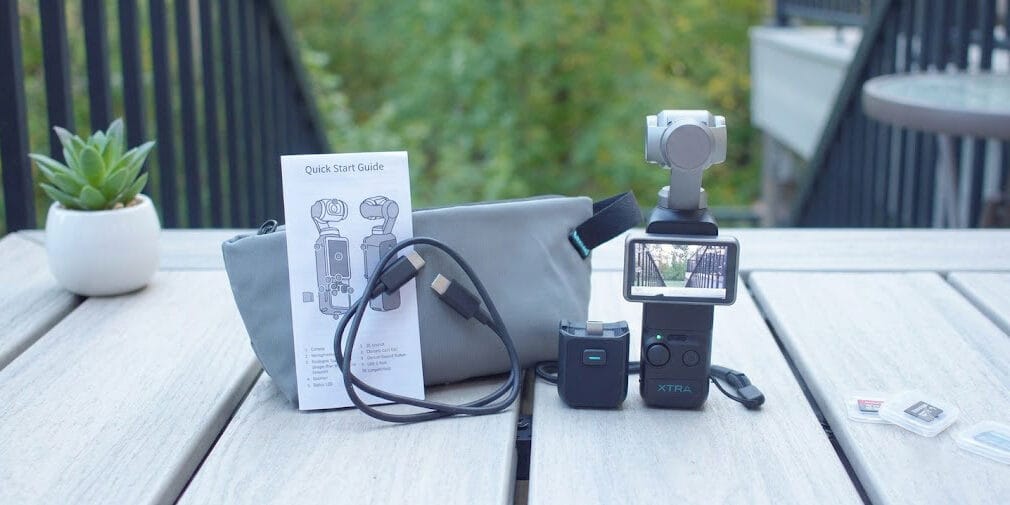
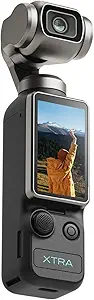
The Xtra Muse is a compact, pocket-sized gimbal camera made by Xtra Edge. It was designed from the ground up to compete with — and undercut the price of — the DJI Osmo Pocket 3.
The core pitch is simple: professional-looking stabilized 4K footage in a device that weighs just 180 grams and measures 139.7 x 42.2 x 33.5 mm. That’s small enough to slip into a jacket pocket and forget about until you need it. The official model number is XCAME01, and it launched as a direct challenger in the pocket gimbal camera space.
Since its release, it’s become one of the best-selling pocket cameras on Amazon — and the reasons for that become pretty obvious once you start shooting with it. (Claim your exclusive 27% off coupon now – AQZYIJE4 )
Exclusive Amazon Promo Code: AQZYIJE4 Save 27% (06/02/2026 ~ 06/22/2026)
Key Specs at a Glance
| Feature | Spec |
|---|---|
| Sensor | 1-inch CMOS |
| Max Video Resolution | 4K/120fps |
| Aperture | f/2.0 |
| Focal Length | 20mm equivalent |
| Stabilization | 3-axis mechanical gimbal |
| Display | 2-inch OLED touchscreen (flippable) |
| Battery Life | Up to 161 minutes at 1080p/24fps |
| Fast Charge | 16 min to 80%; 35 min to 100% |
| Audio | 3 built-in mics, 16-bit 48kHz |
| Storage | No built-in; microSD up to 512GB |
| Color Profile | 10-bit X-Log |
| Connectivity | Wi-Fi, Bluetooth, USB-C |
| Weight | 280 grams |
| Warranty | 2 years |
Video Quality: Does 4K/120fps Actually Deliver?
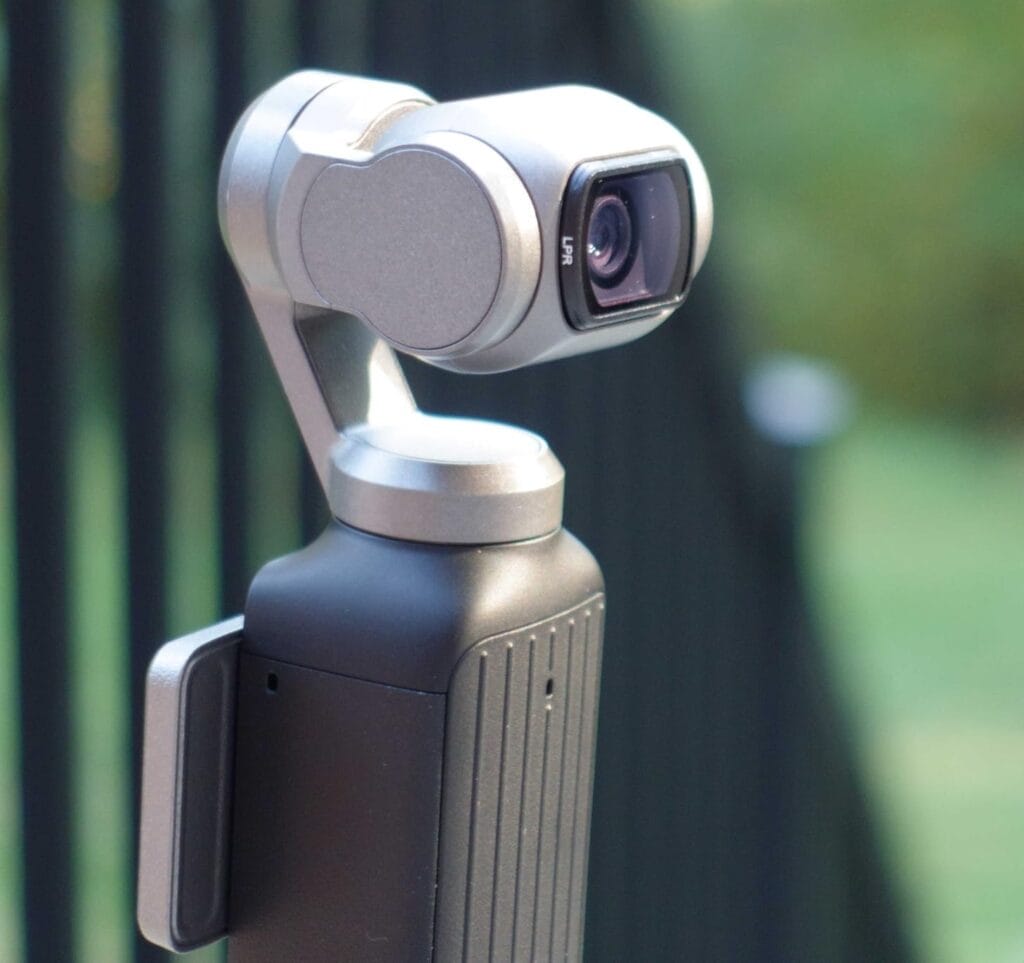
Let’s talk about the most important thing first — the footage itself. The Xtra Muse records 4K video at up to 120fps using its 1-inch CMOS sensor, and after testing it across a variety of conditions, we can confidently say the image quality punches well above its price class.
The 1-inch sensor is the real hero here. To put it in perspective, a 1/2.3-inch sensor found in most budget cameras captures roughly four times less light than a 1-inch sensor. That difference shows up most dramatically in low-light shooting, where the Xtra Muse kept pulling in clean, detailed footage while budget alternatives introduced heavy noise and washed-out colors.
In well-lit outdoor environments, the image was sharp from edge to edge. Colors looked vivid without going oversaturated — a common problem with budget cameras that crank up the saturation to fake vibrancy. We genuinely appreciated how natural the skin tones looked straight out of the camera, even without any color correction applied.
The 4K/120fps capability also opens up a creative dimension that a lot of creators overlook: true slow-motion footage at 5x speed. One second of real action becomes five seconds of buttery slow-motion in post. If you film sports, dance, cooking, or anything kinetic, this is a genuine advantage that cameras capped at 4K/30fps simply can’t match.
And then there’s the 10-bit X-Log color profile. This gives colorists up to one billion colors to work with in post-production, which is exactly what you need for professional-looking grade work in DaVinci Resolve or Premiere Pro. For creators who care about color grading, this alone justifies a serious look at the Muse.
Exclusive Amazon Promo Code: AQZYIJE4 Save 27% (06/02/2026 ~ 06/22/2026)
Stabilization: The 3-Axis Gimbal Is the Real Deal
Here’s where the Xtra Muse really separates itself from the competition at this price point. The built-in 3-axis mechanical gimbal isn’t just a software trick — it physically moves the camera to counteract shake, which preserves 100% of your sensor output without cropping or digital degradation.
Our assessment team tested it while walking, jogging on uneven pavement, riding in a car, and even during some light hiking. The results were consistently impressive. Walking footage that would’ve looked like a handheld mess with a standard action camera came out looking like it was shot on a slider. Running footage was smooth enough to use without any additional stabilization in post.
This matters because electronic image stabilization (EIS), the kind found in most budget competitors, works by cropping into the frame and using software to smooth the image. The trade-off is a narrower field of view and some quality loss. The Xtra Muse’s optical gimbal avoids all of that entirely.
For solo vloggers who walk and talk to the camera — which is basically the bread and butter of modern vlogging — this stabilization system is a genuine game-changer. You can hold the camera in one hand, keep moving, and the footage just stays locked in.
Face and Object Tracking: Master Follow Does Its Job
One of the standout features for solo creators is the Master Follow tracking system. Activate it through the touchscreen menu, and the camera’s gimbal will automatically pan and tilt to keep your face — or a selected object — centered in the frame as you move.
We tested this extensively for solo vlogging setups. We placed the camera on a surface, activated tracking, and walked around. It followed cleanly, didn’t lose the subject during quick directional changes, and recovered quickly when we momentarily stepped out of frame.
The Face and Object Tracking isn’t perfect under all conditions — fast lateral movement at close range can occasionally cause it to lag — but for typical vlogging use cases like talking to the camera, demonstrating a product, or walking through a location, it absolutely delivers. For content creators who film themselves without a camera operator, this feature alone justifies serious consideration.
Audio: Three Mics and a USB-C Input
Audio is often the afterthought in camera reviews, but we know from experience that bad audio kills great footage faster than anything else. So we’re glad to report that the Xtra Muse takes sound seriously.
The camera packs three built-in microphones that record 16-bit audio at 48kHz — a specification that puts it ahead of many action cameras in the same category. The stereo pickup handled moderate wind noise reasonably well during outdoor testing, and indoor dialogue recordings sounded clear and natural.
More importantly, Xtra built in a USB-C plug-in receiver port. This means you can connect a wireless mic receiver — including compatible DJI Mic systems — directly to the camera for significantly upgraded audio when your content demands it. That kind of expandability at this price point is genuinely thoughtful design. Just like upgrading from colored pencils to professional-grade drawing tools, expanding your audio setup through the Muse’s USB-C port is a smart investment that elevates your entire content output.
The 2-Inch Touchscreen: Vertical Shooting Made Simple
The Muse ships with a 2-inch OLED touchscreen that flips to support both 16:9 horizontal and 9:16 vertical shooting. Switching between portrait and landscape modes is done directly through the touchscreen — no physical repositioning of the camera required.
This is a bigger deal than it sounds for modern content creators. If your workflow includes Instagram Reels, TikTok, and YouTube Shorts alongside standard horizontal YouTube uploads, having a camera that handles both orientations natively without any awkward rigging saves real time in your workflow.
The touchscreen itself was responsive in our testing. Menu navigation was intuitive enough that we were recording within minutes of unboxing — no manual-digging required. Multiple verified buyers have confirmed the same experience: this is one of the most beginner-friendly 4K cameras available at this price.
Battery Life: 161 Minutes — With an Asterisk
The official battery life rating is 161 minutes, tested at 1080p/24fps with the screen and Wi-Fi off at room temperature. In real-world testing, our team found that shooting at 4K/60fps with active face tracking enabled drops that number considerably — expect roughly 60–90 minutes in demanding use.
That said, the fast charging capability partially compensates for this. With a 65W PD charger (sold separately), the battery reaches 80% in just 16 minutes and 100% in 35 minutes. For creators who shoot in bursts and can charge between sessions, this is actually quite manageable in practice.
We’d still recommend picking up a USB-C power bank for longer shooting days. The camera also supports USB-C pass-through charging, which means you can top it up while shooting if you’re in a pinch.
Storage: You'll Need a Fast MicroSD Card
One important heads-up for new buyers: the Xtra Muse has no built-in internal storage. You must insert a microSD card before recording — the camera supports cards up to 512GB. For everyday use, a 128GB or 256GB card hits the sweet spot between cost and capacity.
However, if you plan to shoot 4K/120fps, you need a fast card. Recording at that resolution and frame rate generates an enormous amount of data, and a slow or cheap card will cause dropped frames or recording errors. A V60-class microSD — such as the Samsung Pro Plus or Lexar 1066x — is the minimum we’d recommend. Budget around $20–$40 extra when pricing out your full kit.
Exclusive Amazon Promo Code: AQZYIJE4 Save 27% (06/02/2026 ~ 06/22/2026)
How Does It Compare to the DJI Osmo Pocket 3?
The DJI Osmo Pocket 3 is the obvious comparison point, and it’s one that the Xtra Muse courts deliberately. Both cameras share a 1-inch CMOS sensor and 4K/120fps recording capability. The Pocket 3 carries the DJI brand reputation and a slightly more polished software ecosystem. But the Xtra Muse costs roughly $140 less as of early 2026.
For creators who aren’t already invested in the DJI ecosystem, the Xtra Muse offers nearly identical core performance at a significantly lower entry point. The savings alone could fund a quality microSD card, a spare charging cable, and a solid USB-C wireless mic receiver — all things that make a meaningful difference in day-to-day content creation.
If DJI’s app integration and brand support are important to you, the Pocket 3 might be worth the premium. For everyone else, the Muse makes a compelling case.
Who Is the Xtra Muse Built For?
Our assessment team found the Xtra Muse works exceptionally well for specific types of creators. Here’s a clear breakdown of who should seriously consider it:
It’s a great fit for:
- Beginner and intermediate vloggers who want 4K quality without a steep learning curve
- Travel creators who need a pocketable, lightweight camera that doesn’t sacrifice image quality
- Solo creators who film themselves — the face tracking and built-in gimbal remove the need for a separate stabilizer rig
- Content producers looking to create slow-motion footage or cinematic color-graded videos without a dedicated cinema camera
- Budget-conscious creators who want DJI Pocket 3-level performance for meaningfully less money
It’s not the right pick for:
- Creators who need water or weather resistance for rain shooting or underwater content
- Wildlife or sports photographers who need optical zoom for capturing subjects from a distance
- Creators who require HDMI output for professional livestreaming setups
Frequently Asked Questions About the Xtra Edge Xtra Muse
Does the Xtra Muse have built-in storage?
No. The camera has no internal storage and requires a microSD card before it can record. Cards up to 512GB are supported. A V60-class card is recommended for 4K/120fps recording.
Can I use the Xtra Muse as a webcam?
Yes. The Xtra Muse supports UVC mode, which lets you use it as a webcam at 1080p resolution. Simply connect it to your computer via USB-C and select it as your video source in your streaming or meeting software. This makes it a solid option for creators who also stream or do video calls.
How long does the battery actually last?
The official rating is 161 minutes at 1080p/24fps with the screen and Wi-Fi off. In real-world mixed use — particularly at higher resolutions with active tracking — expect roughly 60–90 minutes. The fast-charge feature (16 minutes to 80%) goes a long way toward making this manageable in practice.
Can I connect an external microphone?
Yes. The Muse includes a USB-C plug-in receiver port that’s compatible with wireless mic systems, including DJI Mic receivers. This gives you a straightforward upgrade path for professional audio without any additional adapters.
Is the Xtra Muse good for beginners?
Absolutely. Multiple verified buyers confirm they were recording within minutes of unboxing. The touchscreen interface is intuitive, face tracking handles focusing automatically, and the gimbal manages stabilization with zero manual setup. It’s one of the most approachable 4K cameras available at this price. Much like how ergonomic office chairs designed for home workers make daily comfort accessible without a professional setup guide, the Muse delivers professional results without requiring technical expertise to get started.
Does it support vertical video for social media?
Yes. The 2-inch touchscreen and gimbal support both horizontal (16:9) and vertical (9:16) shooting modes. Switching between the two is done directly through the touchscreen — making it a well-suited tool for Instagram Reels, TikTok, and YouTube Shorts content.
What’s X-Log and why does it matter?
X-Log is Xtra’s flat color profile that captures 10-bit footage with up to one billion colors. It gives colorists far more latitude in post-production compared to standard color profiles — meaning you can push exposure corrections, color grades, and creative looks much further without the image falling apart. If you work in DaVinci Resolve or Premiere Pro, this is a significant asset.
Is the Xtra Muse waterproof?
No. The Xtra Muse is not waterproof or weather-sealed. If water resistance is a priority, look at Xtra’s separate Xtra Edge Pro, which is waterproof to 65 feet without a case. The two products serve different use cases within the Xtra lineup.
What’s included in the box?
The camera ships with a USB-C to USB-C PD cable, a 1/4-inch threaded handle, a wrist strap, and a carrying bag. A power adapter is not included, so plan to use your own USB-C PD adapter for fast charging.
Exclusive Amazon Promo Code: AQZYIJE4 Save 27% (06/02/2026 ~ 06/22/2026)