Advertiser Disclosure
We independently review everything we recommend. When you buy through our links, we may earn a commission.
The Best Routers for VPN
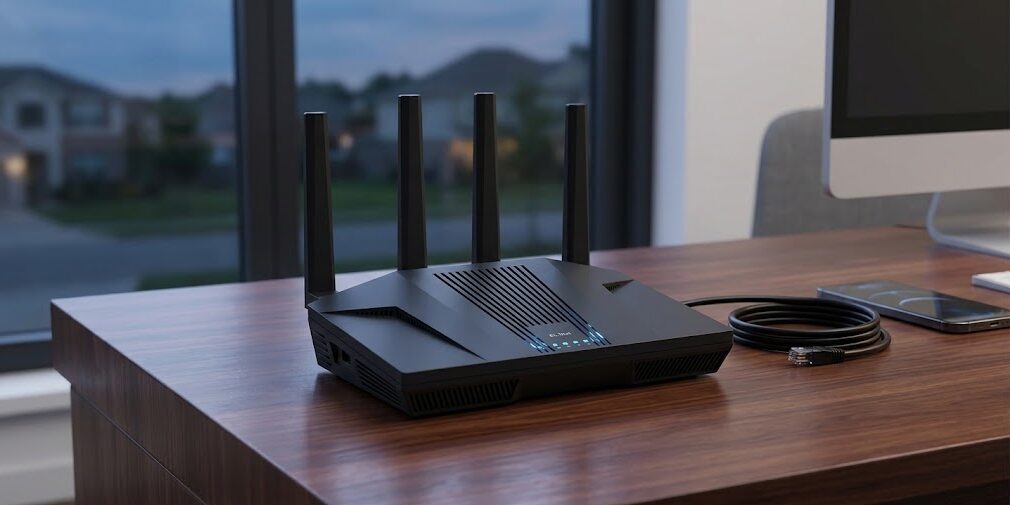
You signed up for a VPN, installed the app on your laptop, and felt pretty good about it. Then your partner asked why the smart TV can’t reach Netflix’s regional catalog, your kid’s console refused to connect, and the work laptop in the other room wasn’t covered at all. Sound familiar?
That’s usually the moment people start looking at VPN routers. Instead of installing a VPN app on every device, you set up the VPN once on the router, and everything behind it gets covered: phones, TVs, consoles, the printer nobody remembers buying. It’s a tidy idea, but it comes with a catch that most buying guides skip. Many routers that look fast on the box fall apart the moment you turn encryption on.
Why? Encrypting every packet takes processing power. A router with a weak CPU might handle a gigabit connection without breaking a sweat in normal use, then top out at a fraction of that speed once a VPN tunnel is running. Wi-Fi standards and antenna counts don’t fix that. The processor and the VPN software do.
Everything We Recommend
✅ We recommend these products based on an intensive research process that’s designed to cut through the noise and find the top products in this space. Guided by experts, we spend hours looking into the factors that matter to bring you these selections.
⭐ 2.5 million+ people assisted in the last 30 days ⭐
🏆
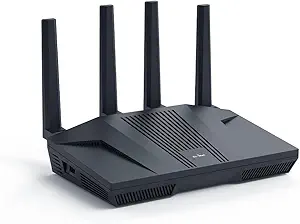
The Best Overall
Wi-Fi 6 delivers speeds up to 6 Gbps, with 1GB DDR4 RAM and 8GB eMMC storage.
The Flint 2 MT6000 features 8-stream Wi-Fi 6 for stable, high-speed gaming and smoother 4K streaming.
Enjoy VPN speeds up to 900 Mbps with WireGuard and 880 Mbps with OpenVPN, depending on network conditions.
AdGuard Home blocks unwanted tracking and filters selected ads through a convenient web interface.
Connect over 100 devices, install additional plugins, and set up easily through Ethernet and the web admin panel.
💎
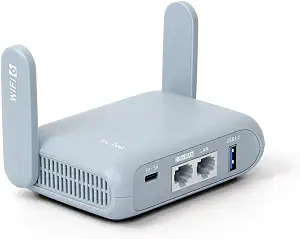
Best for Travelers and Remote Workers
Wi-Fi 6 delivers dual-band speeds up to 2,976 Mbps, with 2.5G WAN, Gigabit LAN, and USB 3.0 ports.
Built-in OpenVPN and WireGuard support 30+ VPN providers, with speeds up to 150 Mbps and 300 Mbps, respectively.
OpenWrt 21.02 firmware supports over 5,000 plugins, offering flexible customization through an easy-to-use admin panel.
Security features include WPA3, DNS over HTTPS, and DNS over TLS to help protect network traffic.
Compact and travel-ready, Beryl AX supports simultaneous VPN client and server connections, plus a configurable shortcut button.
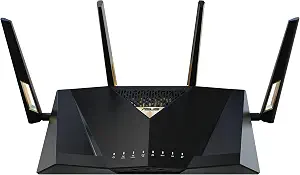
Our Pick for Wi-Fi 7 Homes
Wi-Fi 7 delivers speeds up to 7,200 Mbps with Multi-Link Operation and advanced 4096-QAM technology.
Expand wired capacity with 10G SFP+ and 10G WAN/LAN ports, supporting network capacity up to 34G.
AI WAN detection, flexible WAN options, and USB tethering support help maintain internet access through 4G LTE or 5G.
A 2.6GHz quad-core 64-bit CPU powers demanding Wi-Fi 7 applications, while Guest Network Pro supports five SSIDs.
AiProtection Pro, comprehensive VPN support, parental controls, and AiMesh provide security and whole-home connectivity.
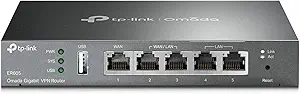
Best for Small Offices and Multi-WAN Setups
Five Gigabit Ethernet ports include one WAN, two WAN/LAN, and two LAN ports, supporting up to three WAN connections.
A USB WAN port supports compatible 4G or 3G modems for backup internet connectivity when the primary connection fails.
Advanced security features include firewall policies, DoS defense, IP/MAC/URL filtering, and built-in network speed testing.
Supports up to 20 IPsec, 16 OpenVPN, 16 L2TP, and 16 PPTP VPN connections for flexible networking.
SPI firewall, VPN pass-through, and DoS protection enhance security, with support for IEEE 802.3, 802.3u, and 802.3ab standards.
Which VPN Router Should You Buy?
For most people, the GL.iNet GL-MT6000 Flint 2 is the one to get. It has the strongest published VPN throughput of the four, it’s built on OpenWrt-based software that handles VPN providers well, and it doesn’t cost what a flagship Wi-Fi 7 router does. The others win in specific situations, and we’ll tell you exactly which ones.
Router | Best for | Wi-Fi | Published VPN speeds* |
|---|---|---|---|
GL.iNet GL-MT6000 Flint 2 | Most homes: fast home internet with a VPN always on | Wi-Fi 6 | Up to 900 Mbps WireGuard; OpenVPN up to 880 Mbps with DCO |
GL.iNet GL-MT3000 Beryl AX | Travelers, remote workers, hotel and Airbnb Wi-Fi | Wi-Fi 6 | Up to 300 Mbps WireGuard; 150 Mbps OpenVPN |
ASUS RT-BE88U | Wi-Fi 7 homes with lots of devices and multi-gig wiring | Wi-Fi 7 | WireGuard 800–1,350 Mbps |
TP-Link ER605 | Small offices, multi-WAN setups, site-to-site VPNs | None (wired only) | WireGuard about 123 Mbps; OpenVPN about 22 Mbps |
Why Bother With a VPN Router at All?
Let’s be fair to the app-based approach first. For one laptop and one phone, a regular VPN app is easier, and it’s usually the right call. A router makes sense when one or more of these apply:
- You have devices that can’t run a VPN app. Smart TVs, streaming sticks, game consoles, and many smart-home gadgets either don’t support VPN apps or make them painful.
- You want everything protected without thinking about it. Nobody in the house has to remember to tap “Connect.”
- You want to reach your home network remotely. Running a VPN server on your router lets you get to a NAS, cameras, or a home office from anywhere.
- You travel a lot and want your own private bubble. A small travel router creates a secure network on top of whatever questionable hotel Wi-Fi you’ve been handed.
- You need to link two locations. A small business connecting a shop to an office, for example, wants a site-to-site tunnel.
There’s a trade-off worth naming up front. A router-level VPN is generally an all-or-nothing affair unless the router supports per-device rules. That’s one reason features like ASUS’s VPN Fusion matter, and we’ll get there. If you routinely need some devices on the VPN and others off it (say, a banking app that blocks VPN traffic), look at how each router handles device-level routing before you buy.
For deeper background on picking a provider to pair with any of these, our guide to the best VPN services for routers covers which ones offer configuration files and WireGuard support.
What Actually Makes a Router Good for VPN?
Spec sheets love big numbers. For VPN use, most of them are distractions. Here’s what we weighed, in rough order of importance.
1. The processor and memory
This is the biggest factor, by a wide margin. Encryption is math, and math needs a CPU. A router with a quad-core processor and generous RAM can encrypt and decrypt traffic at high speed. A router built around a modest chip might handle a fast connection fine until you add a tunnel, then slow to a crawl.
You can see the effect in the numbers. TP-Link’s own ER605 specifications list roughly 123 Mbps for WireGuard and about 22 Mbps for OpenVPN. On a gigabit connection, that’s a big drop. The GL.iNet Flint 2, with a quad-core 2.0 GHz processor, is rated by its maker for up to 900 Mbps on WireGuard. Same idea, very different hardware.
2. Protocol support (WireGuard, OpenVPN, and the rest)
WireGuard is the modern favorite. It’s lighter than OpenVPN, which generally means less work for the router’s CPU and better speeds on the same hardware. It’s been part of the Linux kernel since version 5.6, which is partly why it runs so well on Linux-based router firmware. OpenVPN is older, more widely supported by VPN providers, and often slower on modest hardware, though newer techniques like data channel offload (DCO) can narrow the gap on supported setups. GL.iNet, for example, quotes up to 880 Mbps for OpenVPN with DCO on the Flint 2, compared with an earlier rating of 190 Mbps without it.
The practical takeaway: check that your VPN provider supports WireGuard, then make sure the router does too. All four routers in this guide support WireGuard in some form, but the speeds vary a lot.
3. Firmware and ease of setup
A great chip with confusing software wastes your time. The GL.iNet routers use an OpenWrt-based firmware with a friendly admin panel and one-click-style setup for dozens of providers. ASUS’s stock firmware is polished and has a dedicated VPN section, plus a mobile app. TP-Link’s Omada approach is more business-flavored and leans on a controller for full management. Each is fine; they just feel different.
4. Wi-Fi standard (it matters less than you’d think)
This is the part that surprises people. Wi-Fi 7 sounds like it should help with VPN speeds, but wireless speed and VPN speed are separate bottlenecks. A router can have very fast Wi-Fi and still choke on encryption, or have more modest Wi-Fi and handle the tunnel easily. If your internet plan is a few hundred megabits, Wi-Fi 6 is typically plenty. Wi-Fi 7 starts to make sense when you have many modern devices and a very fast connection.
5. Ports and expandability
If you have a multi-gig internet plan or a NAS, 2.5G (or 10G) ports matter. If you have a standard gigabit plan, they’re nice to have rather than essential.
Our Picks
The Flint 2 is the router we’d point most readers to, and the reasoning is simple: it’s the one that keeps a fast connection fast with a VPN running. Imagine the very common situation of a household with a gigabit plan, a VPN subscription, and a handful of devices that need to be covered. On many routers, flipping on the VPN means watching your speed test result fall off a cliff, and suddenly the 4K stream buffers and the video call stutters. The Flint 2 is built to avoid that. Its quad-core 2.0 GHz MediaTek processor, 1 GB of memory, and 8 GB of storage give the encryption real headroom, and GL.iNet rates it for up to 900 Mbps on WireGuard (and up to 880 Mbps on OpenVPN with DCO), figures you should treat as best-case lab numbers but that point to a router with room to spare. That headroom is what you feel day to day: the VPN stops being something you notice. Two 2.5 Gbps Ethernet ports mean you can pair it with a multi-gig modem or a faster NAS, and four gigabit LAN ports cover the wired devices. The AX6000-class Wi-Fi 6 radio with four external antennas is more than enough for a typical house, and the firmware, an OpenWrt-based panel, makes adding a VPN provider mostly a matter of importing a config file or signing in. It also supports features that matter for VPN households, including running a WireGuard or OpenVPN server so you can reach your home network while away. Now for the honest part. It’s Wi-Fi 6, not Wi-Fi 7, so if you’ve already invested in a houseful of Wi-Fi 7 devices and want to squeeze out every bit of wireless performance, it’s not the flashiest option. The software, while friendly, can feel a little technical if you’ve only ever used a basic consumer router, and as with any router, GL.iNet’s VPN server speeds are lower than its client-mode ratings. Compared with the ASUS RT-BE88U, the Flint 2 gives up the newest Wi-Fi and the 10G ports but typically costs noticeably less, and for a VPN-first household, that’s a trade we’d make.
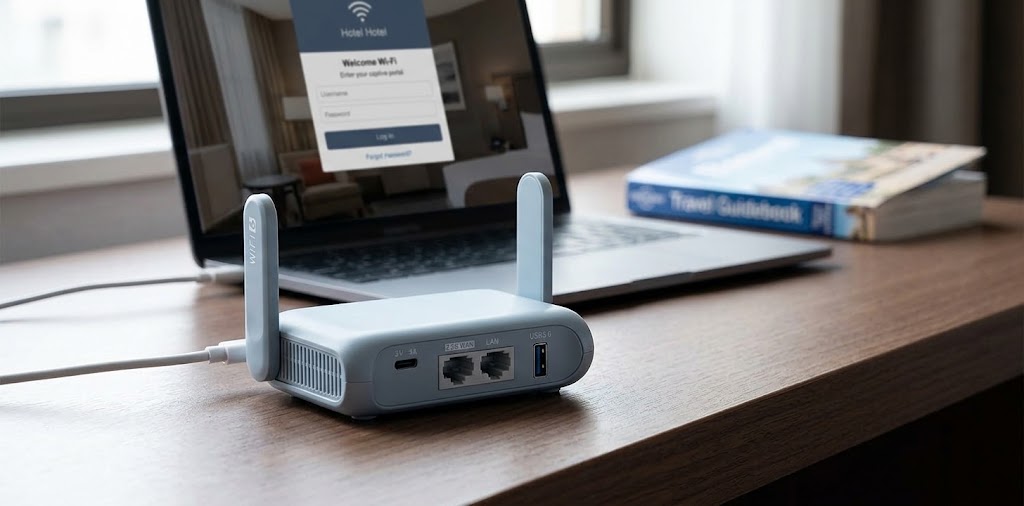
Think about the last time you worked from a hotel room. The Wi-Fi had a splash page, a password printed on a card, and a certain unspoken “good luck with your confidential documents.” The Beryl AX is built for exactly that scene. It’s about the size of a deck of cards, powered over USB-C, and it plugs into the hotel’s Ethernet port (its 2.5G WAN port) or connects to the hotel Wi-Fi as a repeater, then creates your own private network that routes everything through your VPN. Your laptop, tablet, phone, and streaming stick all connect to the Beryl as if it were your home router, so you only sign in to the hotel’s captive portal once, from one device, and everything else stays protected. A physical toggle switch lets you turn the VPN or AdGuard Home on and off without opening a menu, which is a small detail that turns out to be handy when you’re juggling bags at a check-in desk. Under the hood, it’s a dual-core 1.3 GHz chip with 512 MB of memory, and GL.iNet quotes up to 300 Mbps on WireGuard and 150 Mbps on OpenVPN. That’s plenty for hotel and Airbnb internet, which rarely delivers more than that anyway, and it’s enough for most people’s streaming and video calls. The Wi-Fi is AX3000-class Wi-Fi 6 (574 Mbps on 2.4 GHz and 2,402 Mbps on 5 GHz), and a USB 3.0 port lets you share a drive or tether a phone. The limits are real, though. There’s only one LAN port, so it isn’t meant to run a full home network, and that speed ceiling means you’d leave performance on the table on a gigabit home connection. If you’re deciding between the Beryl AX and the Flint 2, here’s the rule of thumb: if the router will live in a backpack, buy the Beryl AX; if it will live on a shelf at home, buy the Flint 2. Plenty of readers end up wanting both, with the Flint 2 at home and the Beryl AX in the carry-on. For other options in this category, see our roundup of the best travel routers.
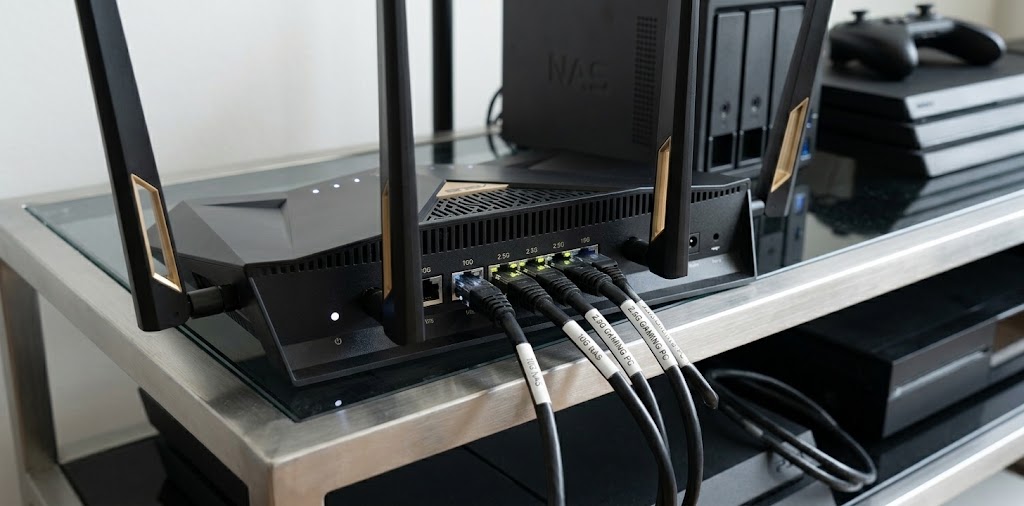
Some households simply have more going on. A home office, a few consoles, a NAS in the closet, a dozen smart devices, and somebody always streaming something. The RT-BE88U is made for that kind of house, and what sets it apart from the GL.iNet routers is breadth. It’s a Wi-Fi 7 (BE7200, dual-band) router with a quad-core 2.6 GHz processor, 2 GB of RAM, and a port layout that’s unusually generous: a 10G SFP+ port, a 10G Ethernet port, four 2.5G ports, and four gigabit ports. That means you can connect a fast modem, a multi-gig NAS, and a handful of wired workstations without buying a separate switch. For VPN use, the real story is the software. ASUS offers VPN client support for WireGuard, OpenVPN, L2TP, and PPTP, plus VPN server options (WireGuard, OpenVPN, IPsec, and PPTP), and its VPN Fusion feature lets you decide which devices go through the tunnel and which don’t. In practice, that solves a real annoyance: you can put the living room TV on a VPN for streaming while leaving a work laptop or a banking app on the regular connection. Setup runs through a polished web interface and the ASUS Router app, which is easier for non-technical users than most competing options, and the router also includes AiProtection Pro security and AiMesh support if you later want to extend coverage with another ASUS router. The trade-offs are worth weighing. It’s the most expensive router in this guide, and while the hardware looks strong for encryption, ASUS doesn’t publish VPN throughput figures in the product material we reviewed, so we can’t promise it matches the Flint 2’s ratings. It’s also dual-band, so it doesn’t use the 6 GHz band that some higher-end Wi-Fi 7 routers offer. If your main goal is a fast VPN at the lowest cost, the Flint 2 is the more efficient buy. If you want Wi-Fi 7, multi-gig wiring, easy VPN device rules, and polished software in one box, the RT-BE88U is the better fit.
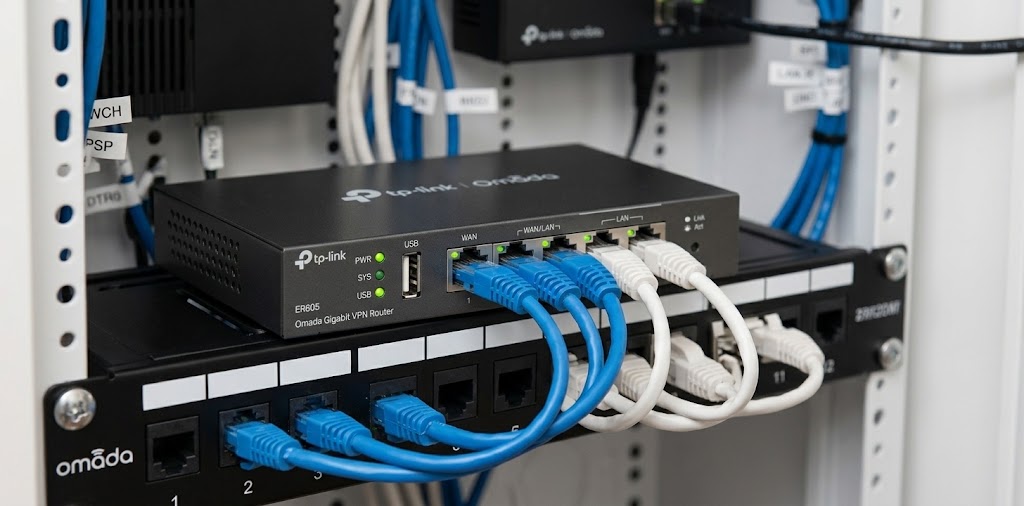
The ER605 is the odd one out, and we included it on purpose because not everyone shopping for a VPN router wants Wi-Fi. This is a wired Omada gateway: no wireless radios at all. Picture a small shop, a home office with a separate access point, or a family that wants two internet connections (say, cable plus a backup) with automatic failover. That’s where the ER605 shines. It has five gigabit ports, a mix of fixed and configurable WAN/LAN ports depending on the hardware revision, so you can plug in more than one internet source and set up load balancing or failover. On the VPN side, TP-Link lists support for IPsec, OpenVPN, L2TP, PPTP, and (on newer versions) WireGuard, along with up to 20 IPsec tunnels, 16 OpenVPN tunnels, and 20 WireGuard tunnels. For site-to-site VPNs between a shop and an office, that capacity is the point. It also plugs into TP-Link’s Omada ecosystem, so if you add Omada access points and switches later, you can manage everything from one dashboard through a cloud, software, or hardware controller. The big catch is performance. TP-Link’s own specs list about 123 Mbps for WireGuard and roughly 22 Mbps for OpenVPN, which is fine for a small office with modest needs but a poor match for someone who wants to run a gigabit home connection through a VPN all day. And again, there’s no Wi-Fi, so you’ll need to add access points separately, which is an extra cost and an extra learning curve. If you’re building a small business network or need multi-WAN failover, the ER605 is a sensible, affordable foundation. If you simply want a fast VPN for your home, skip it and look at the Flint 2.
How the Four Compare in Everyday Use
Spec tables only get you so far, so here’s how we’d think about the real-world differences.
Raw VPN speed. The Flint 2 leads on published numbers by a wide margin, followed by the Beryl AX. The ER605 sits at the bottom. ASUS doesn’t publish a figure, so treat it as strong hardware with an unknown ceiling until you test it with your own VPN provider.
Wi-Fi. The RT-BE88U is the only Wi-Fi 7 option, and it’s the one that makes the most sense for a house full of newer phones and laptops. The Flint 2 and Beryl AX are both Wi-Fi 6, which is plenty for most homes. The ER605 has none.
Ease of use. ASUS is the most approachable for beginners, with a clean app and a dedicated VPN section. GL.iNet is friendly but a notch more technical. The ER605 is the most business-oriented of the group and works best if you’re comfortable with networking concepts.
Flexibility. The GL.iNet routers appeal to tinkerers thanks to their OpenWrt roots. ASUS offers the best device-level VPN routing. The ER605 offers the best multi-WAN and site-to-site tools.
Price. Roughly speaking, the Beryl AX and ER605 are the budget-friendly picks, the Flint 2 sits in the middle, and the RT-BE88U is the premium option. Prices change often, so check current listings before you buy.
So Which One Should You Choose?
Here’s the decision guide we’d give a friend:
- Fast home internet and you want the VPN always on? Get the Flint 2.
- Always on the road, or in short-term rentals? Get the Beryl AX.
- Lots of devices, Wi-Fi 7 gear, and you want per-device VPN control? Get the RT-BE88U.
- Running a small business or need two internet connections? Get the ER605 and add access points.
- Not sure? The Flint 2 covers the widest range of situations with the fewest compromises.
A Few Setup Tips Before You Start
A good router helps, but a few habits make the difference between a VPN setup that works and one that frustrates you.
Pick a nearby server first. Distance adds delay. If speed matters more than getting around a regional restriction, choose a server close to you. You can always switch later.
Try WireGuard before OpenVPN. If your provider offers both, WireGuard is generally the lighter choice for router hardware. If it’s unstable on your network, fall back to OpenVPN.
Keep your firmware updated. Router firmware fixes security problems and sometimes improves VPN performance.
Test before and after. Run a speed test with the VPN off, then on. That’s the only way to know what your setup really delivers, since ISP, server load, and provider all affect the result.
Understand the kill switch. A kill switch blocks traffic if the VPN drops. Check whether your router and provider support it, since a silent drop can quietly expose your traffic. If you’re comparing protocols in more detail, our explainer on WireGuard vs. OpenVPN is a good next stop.
Frequently Asked Questions
Will a VPN router slow down my internet?
In most cases, yes, at least a little. Encrypting traffic takes work, and any VPN adds some overhead and distance. The question is how much. With a router that has a capable processor and a fast protocol like WireGuard, the slowdown can be modest. With an underpowered router, it can be dramatic. The ER605’s published numbers, compared with the Flint 2’s, show how wide that gap can be.
Do I need Wi-Fi 7 for a VPN?
No. VPN speed depends mostly on the router’s processor and the protocol, not the Wi-Fi generation. Wi-Fi 7 is helpful if you have many modern devices and a very fast internet plan, but for most people running a VPN, Wi-Fi 6 is enough.
Is WireGuard better than OpenVPN on a router?
Generally, WireGuard is lighter and faster on router hardware, and the numbers from these four routers support that. OpenVPN has wider provider support and remains a solid fallback. Most people should try WireGuard first.
Can I use a VPN router and a VPN app at the same time?
You can, but it usually isn’t a good idea. Stacking tunnels can slow things down and cause connection problems. If your router handles the VPN, the app is typically unnecessary on devices behind it.
Can I run my own VPN server instead of paying for a provider?
Yes, and it’s a good option for reaching your home network remotely. The Flint 2, Beryl AX, and RT-BE88U can all act as VPN servers, and the ER605 supports server functions for several protocols. Keep in mind that a home VPN server lets you reach your own network securely, but it doesn’t give you the location-switching benefits of a commercial provider, and server-mode speeds are usually lower than client-mode ratings.
Is a travel router worth it if I already have a VPN app?
For many travelers, yes. A travel router covers every device with a single setup, helps with devices that can’t run a VPN app, and means you sign in to a hotel’s portal once. If you only travel with one laptop, the app alone may do the job.
Will a VPN router work with Netflix and other streaming services?
It depends on the service and the VPN provider. Some streaming platforms block known VPN addresses, which has nothing to do with your router. If streaming is your main goal, check that your provider works with the services you use, and consider a router with per-device VPN rules so you can leave certain devices off the tunnel.
How much should I spend?
Think in tiers. A budget travel router like the Beryl AX or a wired gateway like the ER605 covers specific needs for less money. A mid-range choice like the Flint 2 covers most homes. A premium Wi-Fi 7 router like the RT-BE88U makes sense when you’ll use the extra ports and wireless performance. Paying more doesn’t automatically mean better VPN speeds, so match the spending to your actual needs.
The Bottom Line
A VPN router is one of those upgrades that’s easy to overthink. The core idea is simple: pick hardware that can encrypt traffic quickly, then choose the extras that fit how you live.
For most households, we’d buy the GL.iNet GL-MT6000 Flint 2. It has the strongest published VPN performance in this group, enough ports and Wi-Fi for a typical home, and a price that doesn’t force you into flagship territory. If you travel, add the Beryl AX to your bag. If you live in a Wi-Fi 7 household and want slick software and per-device VPN control, the ASUS RT-BE88U is the one to look at. And if you’re building a small office or need multi-WAN failover rather than Wi-Fi, the TP-Link ER605 is a sensible foundation, as long as you accept its VPN speed limits.
Whichever you choose, remember that your results will depend on your internet plan, your VPN provider, and your settings. Run a before-and-after speed test, start with WireGuard, and keep the firmware current. Do that, and the VPN will fade into the background where it belongs.