Advertiser Disclosure
We independently review everything we recommend. When you buy through our links, we may earn a commission.
The Best Travel Routers
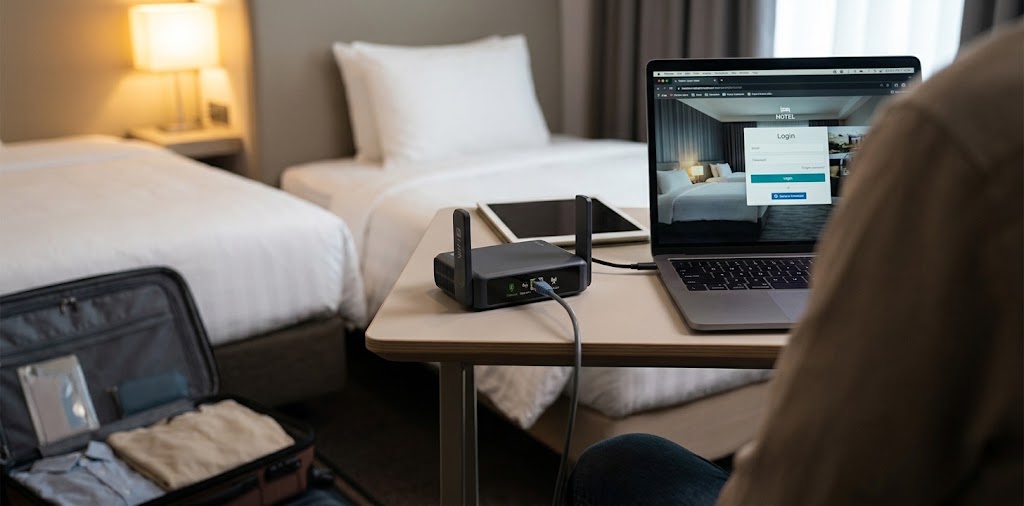
Hotel Wi-Fi has a talent for failing at the worst possible moment. You sit down for a video call, and the network wants a room number, a last name, and a fresh login for every device you own. The phone connects. The laptop doesn’t. The tablet never gets past the splash page.
A travel router fixes most of that in about five minutes. You connect it to the hotel’s network once, sign in once, and everything you carry joins your own private Wi-Fi instead. Your devices stay on a network other guests can’t join, and you can run your VPN on the router instead of on each gadget separately. The whole kit fits in a coat pocket.
We narrowed the field to six and compared them like a traveler would: how each one gets online, how fast its VPN runs, what it plugs into, how it’s powered, and how much patience its software demands. Our short answer is that most people should buy the GL.iNet Slate 7 first.
Everything We Recommend
✅ We recommend these products based on an intensive research process that’s designed to cut through the noise and find the top products in this space. Guided by experts, we spend hours looking into the factors that matter to bring you these selections.
⭐ 2.5 million+ people assisted in the last 30 days ⭐
Best Overall
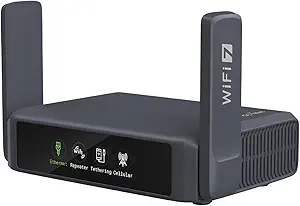
Wi-Fi 7 delivers dual-band speeds up to 3,570 Mbps, with dual 2.5G Ethernet ports and USB 3.0.
The touchscreen displays real-time network speeds, scans Wi-Fi QR codes, and controls VPN settings with convenient status indicators.
OpenWrt 23.05 firmware and 512MB storage provide flexible customization and support for additional networking plugins.
Preinstalled OpenVPN and WireGuard support 30+ VPN providers, with speeds up to 100 Mbps and 540 Mbps, respectively.
Designed for travel, Slate 7 supports WPA3, encrypted DNS, simultaneous VPN client and server connections, and touchscreen controls.
Best for Simple Wi-Fi 7
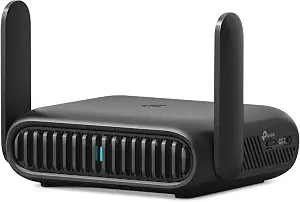
Create a private network from public Wi-Fi, supporting up to 90 devices in hotels, airports, and homes.
Wi-Fi 7 delivers dual-band speeds up to 3,570 Mbps, with 2.5 Gbps WAN and 1 Gbps LAN ports.
Three connection modes support Ethernet, USB tethering, public hotspots, Wi-Fi extension, and wireless client connections.
OpenVPN, WireGuard, PPTP, and L2TP support VPN client and server connections for more secure browsing.
Compact and travel-ready, Roam 7 features USB-C power, one-step captive portal login, and Multi-Link Operation for improved connectivity.
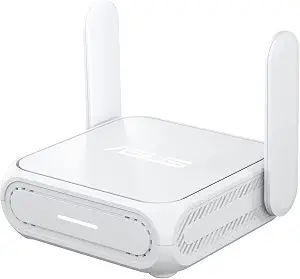
Best for ASUS Households and Hybrid Workers
Enjoy WiFi 7 dual band speeds up to 3600 Mbps with MLO and 4K QAM technology.
Protect your data on public WiFi with built in VPN features and WISP mode for private hotspots.
Share 4G LTE or 5G mobile tethering and power your router conveniently with 18W USB C Power Delivery.
Expand whole home coverage with enhanced AiMesh technology and manage your network easily through the ASUS Router app.
Create separate guest and IoT networks with Guest Network Pro, backed by a 3 year manufacturer warranty.
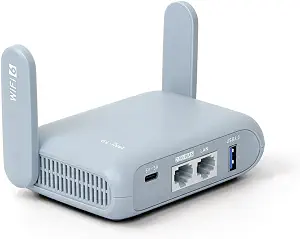
Best Value
Enjoy WiFi 6 speeds up to 2402 Mbps on 5 GHz and 574 Mbps on 2.4 GHz, with 2.5G WAN and USB 3.0.
Secure your connection with OpenVPN and WireGuard, delivering VPN speeds up to 150 Mbps and 300 Mbps, respectively.
Customize the Beryl AX with OpenWrt 21.02 firmware and access over 5,000 installable packages through its admin panel.
Strengthen privacy with WPA3, DNS over HTTPS, DNS over TLS, and simultaneous VPN client and server support.
Travel confidently with a compact design, a configurable physical toggle switch, and support for US, UK, and EU plugs.
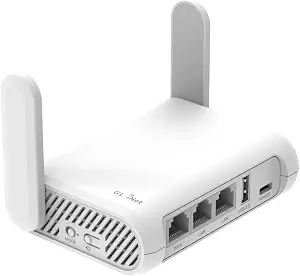
Best Budget
Enjoy AC1200 dual band WiFi speeds up to 867 Mbps on 5 GHz and 300 Mbps on 2.4 GHz.
Weighing just 145 g, this compact travel router features three Gigabit ports and retractable antennas for improved signal reception.
Protect your connection with preinstalled OpenVPN and WireGuard, IPv6 support, and Cloudflare encryption.
Turn public WiFi into a private network with repeater mode for more secure browsing while traveling.
Set up your router easily and toggle OpenVPN or WireGuard clients using a configurable physical switch.
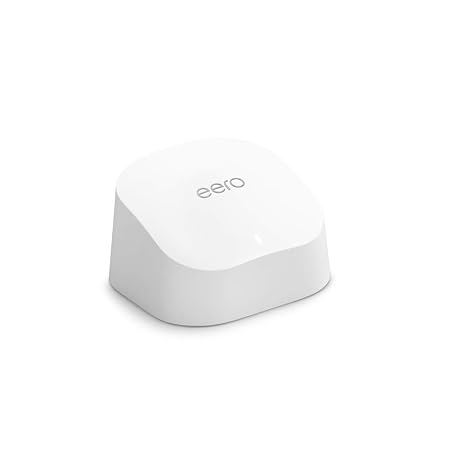
Best for a Home Base
Enjoy WiFi 6 speeds up to 900 Mbps and whole home coverage up to 1,500 sq. ft.
Reduce buffering and connection drops with TrueMesh technology for smoother 4K streaming, gaming, and video calls.
Connect 75+ devices and manage your network easily through the eero app with guided setup.
Control compatible smart home devices with the built in Zigbee hub and Alexa integration, without extra hubs.
Keep your network secure with automatic software updates and expand coverage anytime with compatible eero devices.
How We Compared These Travel Routers
Before the picks, a quick word on method, because travel routers are easy to misjudge. A spec sheet tells you how fast a router can talk to your laptop. It says very little about how the router copes with a hotel login page, a shaky campground signal, or a VPN that quietly caps your speed at a fraction of what you’re paying for.
So we weighed six things: the ways each router can get online (hotel Wi-Fi, an Ethernet jack, USB tethering from a phone), how fast its VPN can realistically run, which ports it offers, how it’s powered, how big it is, and how much patience its software demands. Then judged each model against ordinary trips: a three-night hotel stay, a week in a family rental, a remote-work month abroad.
Two caveats are worth stating plainly. First, every speed in this guide is a manufacturer rating, and real-world Wi-Fi almost always lands below it. Second, on most trips the hotel’s own internet connection is the slowest link in the chain, so a faster router won’t make a slow uplink quicker. What a better router buys you is stability, privacy, and the ability to connect everything you own at once.
What Actually Matters in a Travel Router
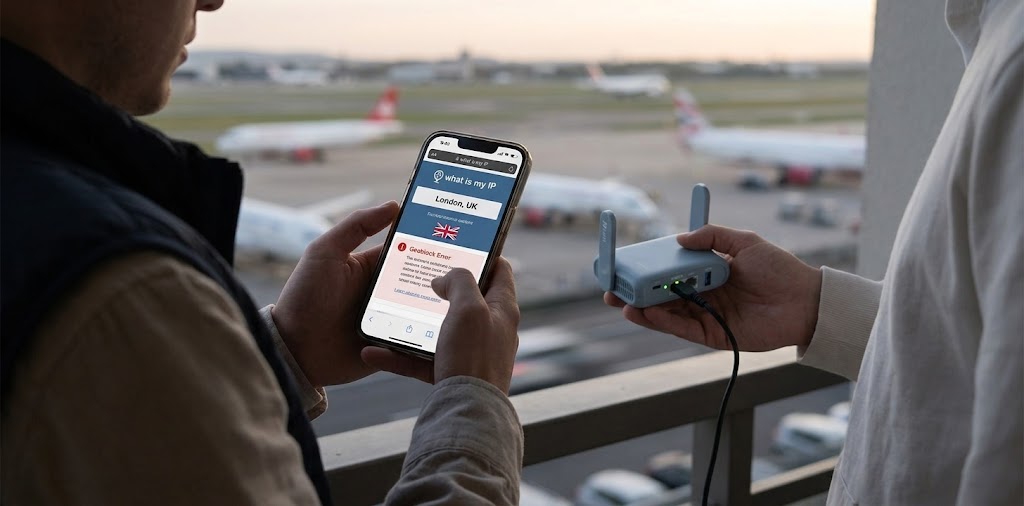
Most buying guides lead with raw Wi-Fi speed. We’d lead with something less glamorous: how the router gets online. A travel router earns its keep by joining a hotel’s Wi-Fi as a client, accepting a wired jack, or tethering to a phone, and the strongest models do all three without fuss. Check that any router you consider lists those modes before you look at anything else.
VPN throughput comes next, and it’s the spec most shoppers overlook. Encryption is work, and a router’s processor does all of it for every device behind it. A router with a weak chip can turn a respectable hotel connection into a sluggish one the moment the tunnel switches on. That’s why we put so much weight on the vendor-listed WireGuard and OpenVPN figures wherever they exist.
Power and size matter more than they sound. A router that runs from a power bank or a laptop’s spare USB-C port is easier to live with than one needing its own brick and a free wall outlet. Wi-Fi generation matters least of the four. Wi-Fi 7 is a sensible choice if you’re buying new, but the hotel’s uplink will almost always be the limit, so don’t pay a large premium for it.
Finally, think about software honestly. Some travelers enjoy a deep admin panel, and others want an app that holds their hand. Neither is wrong, but a router whose software doesn’t suit you tends to end up in a drawer after the first trip. That’s why the picks below split along software lines as much as hardware ones.
The 6 Best Travel Routers
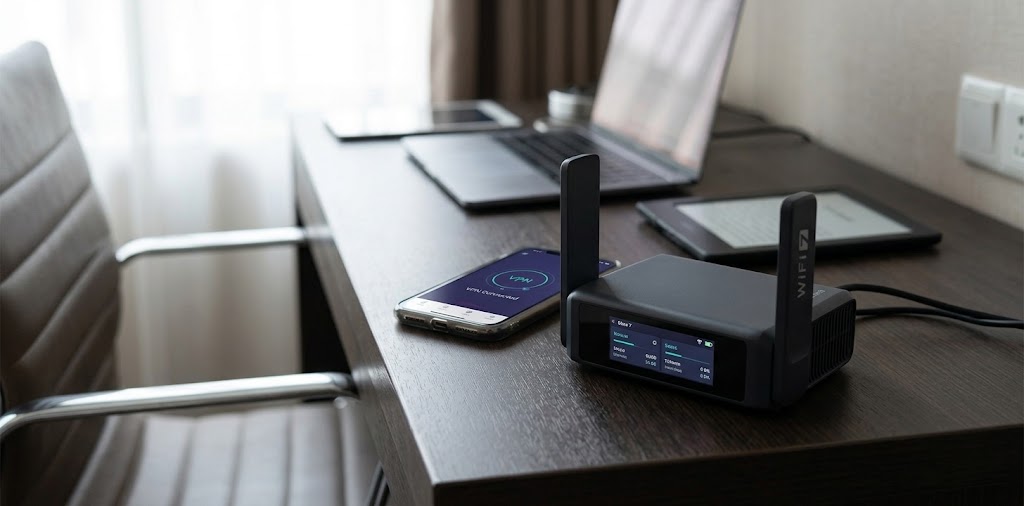
The first thing you notice about the Slate 7 is the touchscreen, which sounds like a gimmick until you picture the alternative: sitting in a hotel room with a laptop on your knee, hunting for an admin page just to find out whether the router is online. GL.iNet built the display into the router itself, so basic status checks happen on the device. Behind that screen sits a Qualcomm quad-core processor with 512MB of memory, a dual-band Wi-Fi 7 radio rated at 3,600 Mbps combined, and two 2.5 GbE Ethernet ports, where the TP-Link and ASUS settle for Gigabit on the LAN side. A USB 3.0 port handles storage. The reason we rank it first, though, is VPN performance. Up to 490 Mbps for WireGuard and 385 Mbps for OpenVPN with DCO, and the router integrates with more than 30 VPN services, so someone who keeps a tunnel open all day isn’t stuck waiting on a weak processor. For perspective, the Opal’s listed WireGuard ceiling is 65 Mbps, which makes the Slate 7 roughly seven times faster on paper. It runs OpenWrt, includes AdGuard Home for blocking ads and trackers at the DNS level, and, according to the launch announcement, ships with regional plug adapters. The trade-offs are real, though. It’s dual-band, so there’s no 6 GHz, and it doesn’t unlock everything Wi-Fi 7 can do. GL.iNet’s admin panel offers far more options than a casual traveler needs, and some early owners on the company’s forum called the router unfinished at launch, so install the latest firmware before your first trip. Even so, if you use a VPN daily, work from the road, or simply like owning a router that can grow with you, this is the one we’d buy first.
Not everyone wants a router with opinions. The TP-Link TL-WR3602BE suits travelers who would rather plug something in and get on with the trip. It shares the same wireless backbone as the Slate 7 and the ASUS: 2,882 Mbps on 5 GHz plus 688 Mbps on 2.4 GHz, with support for Multi-Link Operation and 4K-QAM, though TP-Link notes those features only help when your devices support them too. The ports are straightforward: a 2.5 Gbps WAN port, a Gigabit LAN port, and a USB 3.0 port for sharing an external drive. It runs off USB-C, and TP-Link specifically pitches power-bank operation, which matters on a train or at a campsite with few outlets. The mode list is long (router, USB tethering, 3G/4G/5G USB modem, hotspot, access point, range extender and client), so it adapts to a wired hotel jack as easily as to a café’s Wi-Fi. OpenVPN and WireGuard are both supported, setup runs through the Tether app, and TP-Link’s HomeShield features sit on top. We have named this model among our picks for the best Wi-Fi routers, which is a fair endorsement for something this small. The trade-offs? We couldn’t find VPN throughput figures from TP-Link to compare against GL.iNet’s, so we can’t promise it keeps pace with the Slate 7 under a heavy tunnel. It also lacks the Slate 7’s openness and depth, and like every dual-band router here, it skips the 6 GHz band. For a family sharing one connection across a few tablets, or for anyone already running TP-Link gear at home, this is the low-friction choice.
At 8.2 ounces and roughly 98 by 94 by 31 millimeters, the RT-BE58 Go is the kind of device that disappears into a laptop bag, folding antennas and all. On paper, it lines up almost exactly with the TP-Link (BE3600, 2,882 plus 688 Mbps, a 2.5G WAN port and a Gigabit LAN port), so the useful question is what ASUS adds on top. Three things stand out. The first is a physical slide switch that triggers your VPN setup, which turns “is my VPN on?” into something you can check with your thumb. The second is AiMesh: you can add the RT-BE58 Go to an existing ASUS AiMesh network, so the router you carry on trips can double as a home node when you’re back, filling a dead spot instead of gathering dust in a drawer. The third is the security bundle, which includes AiProtection and Guest Network Pro. Three connection modes (router, public Wi-Fi, and mobile tethering over 4G or 5G) cover the usual travel scenarios. The downsides show up in software and in stress conditions. We found the Asus Router app less than easy to navigate, and in our testing, congested traffic trimmed performance by roughly 10 to 15 percent. Like the TP-Link, it has no 6 GHz band. Our advice is simple. If you already run ASUS at home, buy this one over the TP-Link, because the AiMesh integration is a genuine reason. If you don’t, the two are close enough in features that you should buy whichever costs less on the day.
The Beryl AX has been around since early 2023, which makes it the veteran of this group, and that age works in its favor more than you’d expect. GL.iNet rates it at AX3000, with 574 Mbps on 2.4 GHz and 2,402 Mbps on 5 GHz, driven by a dual-core MediaTek processor at 1.3 GHz and 512 MB of memory. Where it earns its spot is the wired side: a 2.5G WAN port, a Gigabit LAN port and a USB 3.0 port, the same layout as the Wi-Fi 7 TP-Link, plus two retractable antennas.GL.iNet’s tested VPN speeds are up to 300 Mbps for WireGuard and 150 Mbps for OpenVPN, which is comfortable for a laptop, a phone and a tablet sharing one tunnel. It runs OpenWrt with a large library of add-on packages, supports WPA3 and encrypted DNS, and carries DFS certification in the US, UK, EU, and Japan, which opens up less crowded 5 GHz channels in busy buildings. Imagine a week in a short-term rental where the host’s router sits two rooms away: you plug the Beryl AX into the Ethernet jack, and the bedroom gets a signal you control. The compromises are plain. It’s Wi-Fi 6, so newer devices won’t use their best features. Its VPN ceiling sits well below the Slate 7’s, and there’s no touchscreen. GL.iNet also says you need to update the firmware to unlock every feature, so expect an update on first boot. It’s the pick if the Slate 7 feels like more than you need and the Opal feels like less.
Opal is for the traveler whose honest question is, “Do I really need to spend more than this?” For plenty of people, the answer is no. Opal weighs 145 grams and measures 118 by 85 by 30 millimeters, with an AC1200 radio (300 Mbps on 2.4 GHz, 867 Mbps on 5 GHz), a dual-core 1 GHz processor, 128 MB of memory, and three Gigabit Ethernet ports. One is a WAN port, and two are LAN ports, so it can feed a laptop by cable and still broadcast Wi-Fi. It’s powered by USB-C at 5V/3A, and a mode switch sits on the body. For a weekend trip with a phone, a laptop, and an e-reader, all behind one hotel login, that’s a tidy setup, and it has been listed at around $77 at Newegg. Now the limits. Its VPN ceilings, over Ethernet, are 65 Mbps for WireGuard and just 12 Mbps for OpenVPN. That’s fine for browsing and email, and tolerable for streaming over WireGuard, but anyone who leans on OpenVPN or pulls large files through a tunnel will feel the squeeze. It’s Wi-Fi 5, it has a USB 2.0 port, and the hardware is modest overall. One buyer we found on a retail listing returned theirs and moved up to a Slate, which is a common story at this price. Choose the Opal if you travel a couple of times a year, travel light, and mainly want one tidy login and a bit of privacy. Skip it if you work remotely or live on a VPN.
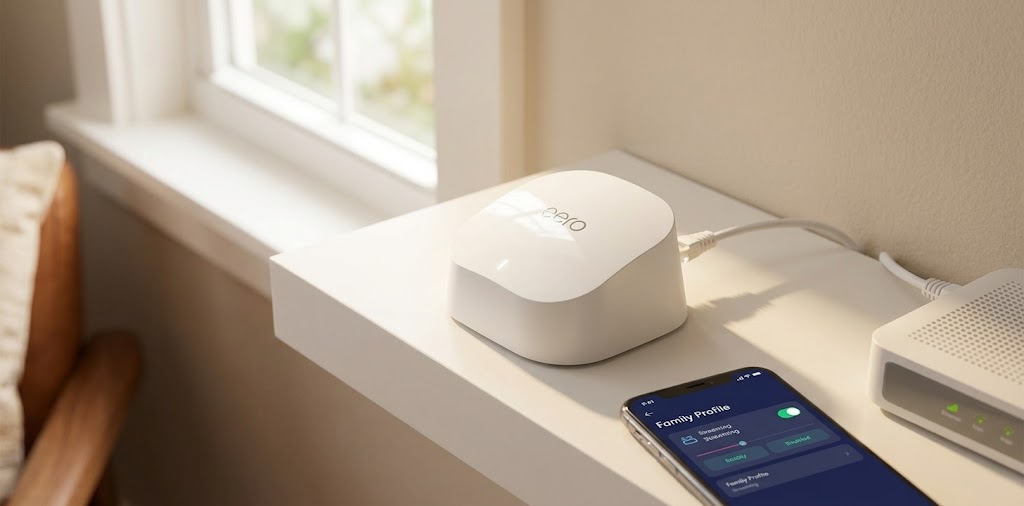
Let’s be upfront: the eero 6 isn’t a travel router. It’s a mains-powered home mesh unit, and nothing about it is designed for a hotel desk. We included it because you’ll see it suggested in portable Wi-Fi conversations, and because it fits a specific kind of traveler better than any pocket router can: someone who stays put for months at a time. Think of a seasonal rental, a vacation home, a relative’s house you visit often, or an extended-stay apartment where you’d rather have real coverage than a gadget. We list it as an AX1800 dual-band Wi-Fi 6 system with two Gigabit Ethernet ports, and a single unit for about 1,500 square feet and more than 75 devices. A built-in Zigbee smart home hub is a nice extra if you use compatible smart plugs and lights. Setup runs entirely through the eero app, and updates arrive automatically, so it asks very little of you after the first evening. The trade-offs explain why it lands last. It expects a wired connection to a modem or router, so it can’t do the hotel-Wi-Fi-to-private-network trick that defines a travel router. Retail listings mention VPN passthrough but no VPN client on the device. There’s no 2.5G port, some extra security features sit behind eero’s optional paid plan, and you’ll need the app and an account to use it at all. If you travel, buy one of the five routers above. If you’re settling in for a season and want Wi-Fi that simply works, the eero 6 is a reasonable home base, and we’d rather say so than stretch the definition of “travel.”
How to Choose the Right Travel Router
Specs only matter once you know how you travel, so here’s how we’d match the router to the person.
- You use a VPN every day or work remotely: Get the Slate 7. Its VPN ceiling is the highest on the list by a wide margin.
- You want Wi-Fi 7 with the least setup: Get the TP-Link TL-WR3602BE.
- You already own ASUS routers: Get the RT-BE58 Go and use it as an AiMesh node between trips.
- You don’t care about Wi-Fi 7: Get the Beryl AX and keep the money.
- You travel once or twice a year and pack light: Get the Opal.
- You’re staying in one place for months: Get the eero 6.
If you’re stuck between the three Wi-Fi 7 models, we’d settle it this way. They share nearly identical radios, so the decision comes down to software and extras. If the Slate 7’s price sits within reach of the other two, buy it, because its VPN speeds and second 2.5G port are the only hardware differences that will change how a trip feels. If the TP-Link or ASUS is noticeably cheaper and you don’t run a VPN all day, take the cheaper one and don’t look back.
Travel Router FAQs
What does a travel router actually do?
It builds your own Wi-Fi network out of someone else’s connection. You plug it into a hotel’s Ethernet jack, join the hotel’s Wi-Fi as a client, or tether it to your phone, and your devices connect to the router instead. In most cases, that means one login instead of five, a private network other guests can’t join, and a single place to run a VPN. Every router here except the eero 6 is built for that job. The eero 6 is designed to connect to a modem or router over Ethernet.
Do I need Wi-Fi 7 in a travel router?
For most trips, no. If your hotel connection tops out at 100 Mbps, a Wi-Fi 6 router won’t hold you back. But if you’re buying new, the three Wi-Fi 7 models cost little more than older designs, and Multi-Link Operation and 4K-QAM help when your own devices support them, especially for transfers between your devices on the router’s network. If your budget allows, buy Wi-Fi 7. If it doesn’t, the Beryl AX is a perfectly sensible alternative.
Is a travel router better than my phone’s hotspot?
A phone hotspot is simpler when you have one device and a strong cellular signal. A travel router wins once you carry several devices, want to use a hotel’s wired jack, or want a VPN covering everything at once. The two also work together, since most of these routers can tether to a phone as a backup connection.
Will a travel router work with hotel login pages?
In many cases, yes. You connect the router to the hotel network, complete the login once through a browser on a device connected to the router, and everything behind it shares that session. Some hotels limit the number of devices or tie logins to hardware addresses, which can complicate matters, so check with the front desk if the portal refuses to cooperate.
Can I power a travel router from a power bank?
Usually, yes. TP-Link advertises power-bank use for its model, the Opal lists a USB-C 5V/3A input, and the ASUS is USB-C powered. Make sure your battery can supply enough current and bring the cable that came with the router.
Will a VPN on the router slow me down?
Some slowdown is normal, because the router’s processor has to encrypt everything passing through it. That’s why VPN throughput matters: the Slate 7’s listed 490 Mbps WireGuard ceiling leaves plenty of headroom, while the Opal’s 65 Mbps is close to what a good hotel connection can deliver. If your uplink is slower than the router’s VPN limit, you probably won’t notice. For a deeper comparison, see our roundup of the best VPN routers.
Setting Up a Travel Router Before You Leave
A little preparation at home saves a lot of frustration in a hotel lobby. These habits apply to every router on this list.
- Update the firmware first. New routers often ship with older software, and GL.iNet specifically says the Beryl AX needs a current version to unlock its full feature set. Do the update on your home network, where a failed download costs you nothing.
- Set up your VPN profile in advance. Import your provider’s WireGuard or OpenVPN configuration while you have a stable connection, and confirm the tunnel connects before you pack.
- Name the network sensibly and save the password. Joining your own Wi-Fi from every device before departure means the hotel room only needs one new connection: the router’s link to the hotel.
- Pack the right cable. Bring a short Ethernet cable for wired hotel jacks, and a USB-C cable that matches your power bank’s output.
- Test tethering once. If you plan to use your phone as a backup connection, try it at home so you know it works.
Spend twenty minutes on this, and the first night of your trip will take five.
Our Verdict
If you want the short version: buy the GL.iNet Slate 7. It offers the strongest VPN performance of the six, two 2.5G ports, a touchscreen that spares you a trip to the admin page, and a flexible OpenWrt foundation. It isn’t flawless. The firmware has a learning curve, and the lack of 6 GHz keeps it from showing everything Wi-Fi 7 can do. But for people who travel with several devices and care about privacy, no other router here comes close.
Buy the TP-Link or ASUS if you’d rather skip the tinkering, and pick the ASUS if AiMesh already runs your home. Choose the Beryl AX for value, the Opal for a low-cost, light-packing setup, and the eero 6 only if you’re staying put. Whichever you choose, pair it with the rest of your carry-on essentials from our travel tech packing list, update its firmware before you leave, and you’ll spend far less of your next trip fighting a login page.