Advertiser Disclosure
We independently review everything we recommend. When you buy through our links, we may earn a commission.
The Best VPNs for Streaming
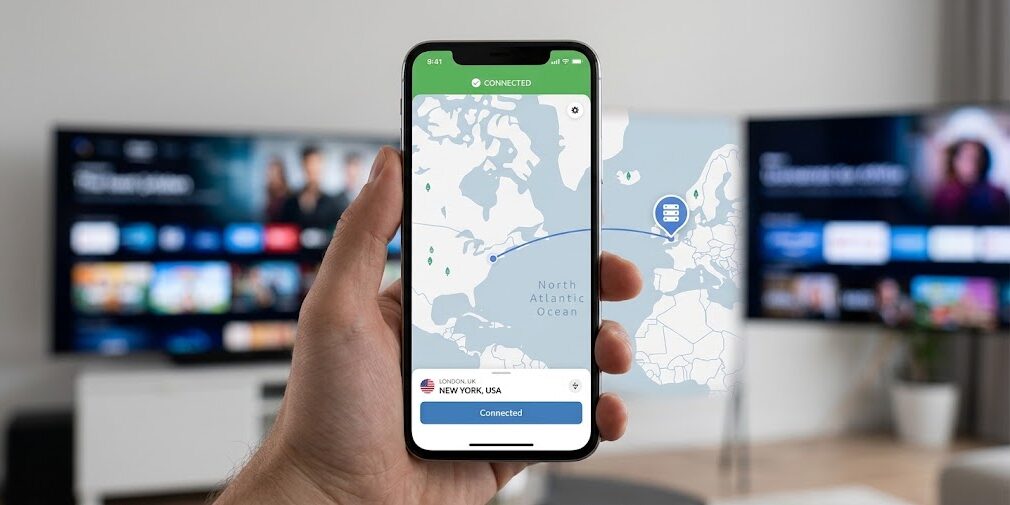
Not every VPN handles streaming well. Plenty of them are great at privacy and terrible at video. Some slow your connection to a crawl. Others get blocked by the big platforms within days.
So we narrowed the field to two services that consistently earn their spot in a streaming setup: NordVPN and Surfshark. In this guide, we’ll show you how each one works in everyday viewing, where they differ, and which one we’d pick if you only get one.
Which VPN Should You Pick for Streaming?
✅ We recommend these products based on an intensive research process that’s designed to cut through the noise and find the top products in this space. Guided by experts, we spend hours looking into the factors that matter to bring you these selections.
⭐ 2.5 million+ people assisted in the last 30 days ⭐
Feature | NordVPN | Surfshark |
|---|---|---|
Best for | Speed, reach, and consistent unblocking | Big households and tight budgets |
Simultaneous connections | 10 | Unlimited |
Country coverage | Larger network, well over 100 countries | About 100 countries |
Core protocols | NordLynx (WireGuard-based), OpenVPN, NordWhisper | WireGuard, OpenVPN |
Multi-hop routing | Fixed server pairs | Pick your own server combination |
Server type | RAM-only servers | RAM-only servers |
Money-back guarantee | 30 days | 30 days |
Our verdict | Overall winner for streaming | Winner for value and large families |
Pricing and server counts change often, and reviewers report slightly different figures, so check each provider’s site before you buy.
Why Use a VPN for Streaming in the First Place?

A VPN (virtual private network) encrypts your connection and routes it through a server somewhere else. For streaming, that does three useful things.
1. It lets you reach content from other regions. Streaming platforms license shows country by country. A series that’s front and center in one market might be missing entirely in another. When you connect to a server in the right country, the platform sees that location instead of yours.
2. It can stop your internet provider from throttling video. Some providers slow down heavy streaming traffic, especially at peak hours. When your traffic is encrypted, your provider can’t easily tell a movie from a spreadsheet, so there’s less to single out. Results vary, but plenty of viewers notice smoother playback.
3. It protects you on public networks. Airports, hotels, cafes, and campus Wi-Fi are convenient, and they’re also where your traffic is easiest to snoop on. A VPN wraps your connection in encryption so you can watch (and log in to your accounts) without worrying about who’s sharing the network.
One honest note: using a VPN is legal in the United States and most other countries, but streaming services can have terms that restrict accessing content from other regions. Read the rules of any service you use, and don’t use a VPN to do anything illegal. We’d rather you know that going in.
What Actually Makes a VPN Good for Streaming?
Most “best VPN” lists throw around specs without explaining why they matter. Here’s what we look at, and why.
Speed (because buffering ruins everything)
Streaming is bandwidth-hungry. Netflix, for example, suggests about 5 Mbps for HD and around 15 Mbps for 4K Ultra HD. A VPN will always cost you some speed, since your data takes a longer trip. The question is how much. A fast protocol such as WireGuard (which NordLynx and Surfshark’s WireGuard option are built on) keeps that loss small, and a bigger server network helps you avoid crowded servers.
Unblocking power
Streaming platforms actively hunt for VPN traffic. The best services keep rotating IP addresses and quietly maintain servers that keep working. A VPN that unblocks a platform on Monday and fails by Thursday is no use to anyone.
Device support and connection limits
Think about how you actually watch: a smart TV in the living room, a tablet in bed, a phone on the train, a laptop at the kitchen table. If your VPN caps connections, somebody ends up unprotected or kicked off. Also check whether the VPN has apps for the devices you own, from Fire TV and Apple TV to Android TV, game consoles via router, and so on.
Privacy that doesn’t fall apart
You don’t want a streaming VPN that logs your habits. Look for a strict no-logs policy, independent audits, and RAM-only servers (which wipe their data every time they restart). Both of our picks run RAM-only server infrastructure and have gone through independent audits, according to 2026 comparison reviews.
Price and guarantees
A VPN should earn its place in your monthly budget. A 30-day money-back guarantee lets you test the service on your own connection with your own streaming apps, which is the only test that really counts.
Our pick for: speed, reliability, and global reach
Some products impress you on a spec sheet. NordVPN impresses you at 9 p.m. on a Saturday, when everyone in your neighborhood is streaming and your video still doesn’t flinch.
That consistency is the reason NordVPN takes the top spot. Across 2026 comparisons, reviewers keep landing on the same conclusion: NordVPN is generally the faster of the two, particularly on long-distance connections where lesser VPNs fall apart. One hands-on test measured an average of around 755 Mbps on local U.S. connections using NordLynx, with usable speeds above 300 Mbps on international servers. Even if your home internet is far slower than that, the takeaway is simple: the VPN won’t be your bottleneck.
How NordVPN helps with real streaming problems
The problem: you’re traveling, and your home library vanishes. NordVPN’s server footprint is among the widest in the industry, with reviewers counting anywhere from the low 110s up to 137 countries depending on how physical and virtual locations are tallied. For a frequent traveler, that breadth matters. When you’re in Lisbon and want your usual U.S. lineup, or in New York chasing a UK-only series, you’re far more likely to find a server in exactly the country you need.
The problem: your VPN works, then suddenly doesn’t. Platforms block VPN servers constantly. NordVPN’s big pool of IP addresses gives it room to rotate, and testers report that it keeps working with the major services, including Netflix, Amazon Prime Video, Hulu, and Disney+. We can’t promise any VPN will unlock every service forever (nobody honestly can), but NordVPN has the better track record of staying unblocked.
The problem: you’re on a restricted network. Ever tried to use a VPN on a school, office, or hotel network that blocks them? NordVPN’s NordWhisper protocol is designed for exactly those restrictive networks, and reviewers who tested it say it got through without noticeably slowing the connection. That’s a nice bonus if you stream on your lunch break or in a dorm.
The problem: you want to surf safely, too. Beyond streaming, NordVPN bundles Threat Protection (ad, tracker, and malware blocking), a kill switch, split tunneling, and Double VPN for extra privacy. Those extras are handy, though streamers won’t use them every day.
What we don’t love
NordVPN caps you at 10 simultaneous connections. For most households, that’s plenty, and you can install the app on as many devices as you like since the limit only applies to active connections. If you set the VPN up on your router, the entire network counts as one connection. Still, a big family with lots of gadgets might bump into the ceiling.
Its multi-hop feature (Double VPN) also works with fixed server pairs, so you can’t choose any combination you like. And on long plans, it costs a bit more than Surfshark.
Who should buy NordVPN?
Choose it if you want dependable streaming performance, travel a lot, or watch in 4K and hate buffering. If speed is your top priority, this is the one.

Our pick for: unlimited devices and budget-friendly long-term plans
Think about the last time you counted every screen in your house. Two phones, a tablet, a laptop, a smart TV, a game console, maybe a second TV in the bedroom. Now imagine covering all of them without paying extra or juggling who gets to connect. That’s the Surfshark pitch, and it’s a good one.
Surfshark allows unlimited simultaneous connections on every plan. Where most rivals stop at 5, 6, or 10 devices, Surfshark simply doesn’t count. For a family or a shared apartment, that single detail can save real money and real arguments.
How Surfshark solves everyday headaches
The problem: too many devices, not enough connections. This is where Surfshark pulls ahead. One subscription can cover phones, tablets, TVs, laptops, and consoles for everyone under your roof, with no per-device limit to watch. It’s a big reason many roommates and families go with Surfshark even when NordVPN wins on raw speed.
The problem: you’re on a tight budget. When you commit to a year or two, Surfshark generally undercuts NordVPN. As of 2026 reviews, plans started around $1.99 per month on the Starter tier, with Surfshark One around $2.49 and One+ around $4.19 per month. Compare that to NordVPN’s roughly $3.39 to $3.89 on its two-year Basic and plans, and you can see why price-conscious viewers lean toward Surfshark. Check current prices, though, since promotions shift constantly.
The problem: you want to customize your privacy. Surfshark’s MultiHop lets you pick your own entry and exit server from its network, rather than choosing from preset pairs. It adds some extra overhead (all multi-hop options do), so you wouldn’t turn it on just to watch a movie. But for privacy-minded viewers, the flexibility is a real advantage over NordVPN’s approach.
The problem: streaming from the U.K., Japan, or elsewhere. Reviewers consistently say Surfshark does well with streaming tests, and it works with the major platforms, including Netflix libraries from other countries. The company has also rolled out high-speed 100 Gbps servers aimed at smoother streaming performance.
What we don’t love
Surfshark’s network is smaller than NordVPN’s. Counts reported by reviewers range from roughly 3,200 to over 4,500 servers across about 100 countries, which is plenty for most people but less than NordVPN offers. In head-to-head testing, NordVPN generally comes out ahead on speed, particularly over long distances, and a few comparisons point out that Surfshark’s speeds can vary a bit more from server to server.
Who should buy Surfshark?
Pick it if you have lots of devices, share an account with others, or want the cheapest quality VPN on a long-term plan. If value is the priority, this is your pick.

NordVPN vs. Surfshark for Streaming: The Head-to-Head
Let’s put them side by side on the things that matter during an actual movie night.
Speed: NordVPN wins
Both services handle HD and 4K streaming comfortably, and for most people the difference will be small. But when testers push long-distance connections (say, a U.S. connection to a server in Asia), NordVPN consistently pulls ahead. One comparison summed it up as NordVPN winning the “no waiting around” category. If you’ve got a modest internet plan, that headroom matters.
Unblocking: NordVPN wins by a nose
Both work with the major platforms. NordVPN has the larger pool of servers and the better track record for staying unblocked over time, which gives it the edge. Surfshark isn’t far behind, and some reviewers rated its streaming performance as excellent.
Devices: Surfshark wins easily
Unlimited connections versus ten. If you live alone and use two or three devices, this doesn’t matter. If you live with other people, it might be the whole decision.
Price: Surfshark wins
On long-term plans, Surfshark generally costs less. The gap isn’t enormous, but across two years it adds up.
Privacy and security: a tie
Both use strong AES-256 encryption, both run RAM-only servers, both have kill switches and split tunneling, and both have had independent audits, with reviewers noting audits in early 2026 for each. You won’t go wrong with either.
Extras: it depends on what you value
NordVPN adds Threat Protection and NordWhisper. Surfshark adds customizable MultiHop, CleanWeb ad blocking, and an unlimited-device model. Neither extra will change how well your shows play, so we don’t weigh them heavily here.
Final scoreboard
| Category | Winner |
|---|---|
| Speed | NordVPN |
| Unblocking consistency | NordVPN |
| Global server reach | NordVPN |
| Number of devices | Surfshark |
| Price | Surfshark |
| Privacy and security | Tie |
| Best for streaming overall | NordVPN |
So who wins? NordVPN, for most people. When your goal is smooth, reliable streaming, speed and unblocking consistency are the two things that matter most, and NordVPN leads on both. Surfshark wins when your priority shifts from raw performance to value or household size, and it’s a strong runner-up rather than a consolation prize.
How to Set Up a VPN for Streaming
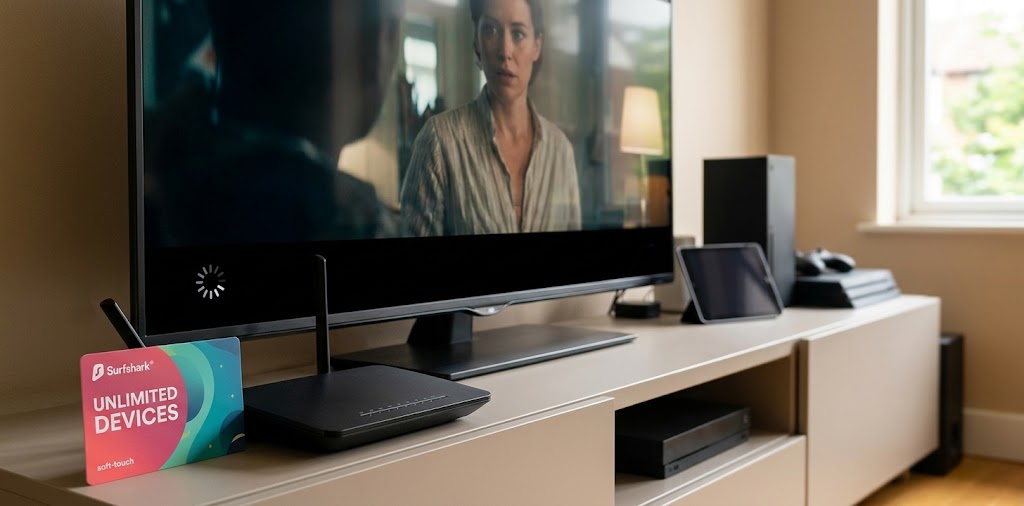
Getting started takes about five minutes. Here’s the process.
- Pick a plan. Longer plans cost less per month, and both services offer a 30-day money-back guarantee, so you can test risk-free.
- Install the app on your main streaming device. Both support Windows, Mac, iOS, Android, and many smart TV platforms.
- Log in and connect to a server in the country whose library you want to watch.
- Close and reopen your streaming app, or clear its cache, so it reads your new location.
- Start a stream and check the quality. If it’s choppy, switch to a nearby server.
- Set up your router (optional). This covers every device on your network, including ones that can’t run a VPN app.
If your TV doesn’t support VPN apps, our walkthrough on how to set up a VPN on your router is worth a read.
Troubleshooting: What to Do When a Stream Won't Load
Even the best VPN hits a snag now and then. Here’s a quick fix list.
- Try a different server. This solves most problems. Streaming platforms block individual IP addresses, and switching to another server in the same country often works instantly.
- Switch protocols. If speeds are slow, try the WireGuard-based option (NordLynx on NordVPN) for the best performance.
- Clear cookies and cache. Sometimes your browser or app remembers your real location.
- Turn off your DNS or location overrides. Manual DNS settings can leak your true location.
- Contact support. Both providers offer live chat, and support agents can often point you to the best server for a specific service.
- Check your base speed first. Run a speed test with the VPN off. If your regular connection is slow, no VPN can fix that.
Frequently Asked Questions About the Best VPNs for Streaming
Is it legal to use a VPN for streaming?
In the United States and most countries, using a VPN is legal. However, accessing content in ways that violate a streaming service’s terms can get your account flagged, and anything illegal remains illegal with or without a VPN. Check the rules for each service you use.
Will a VPN slow down my streaming?
Usually a little, yes, because your data takes a longer route and gets encrypted. A fast VPN on a modern protocol keeps that slowdown small enough that you won’t notice during HD or 4K playback. NordVPN tends to preserve more speed than Surfshark, particularly on distant servers.
Can I use a free VPN for streaming instead?
We wouldn’t. Free VPNs typically cap your data, throttle speeds, and offer very few server locations. Most are also blocked by the major streaming platforms. Some earn money by selling user data, which defeats the point of a privacy tool. A paid plan with a 30-day guarantee is a safer, more reliable route.
Which is faster, NordVPN or Surfshark?
NordVPN, based on comparison testing, especially on long-distance connections. Surfshark is still fast enough for HD and 4K for most people.
How many devices can I use at once?
NordVPN allows 10 simultaneous connections per account, and you can install the app on more devices than that since only active connections count. Surfshark allows unlimited simultaneous connections.
Which VPN is cheaper?
Surfshark generally costs less on long-term plans, with entry pricing starting around $2.49 per month according to 2026 reviews. NordVPN’s two-year plans run roughly $3.39 to $3.89 per month. Prices change often, so confirm before you buy.
Does a VPN work on a smart TV or streaming stick?
Yes, in two ways. Many smart TVs and streaming sticks (such as Fire TV) can run a VPN app directly. For devices that can’t, install the VPN on your router so everything on your home network is covered.
Do I need a VPN if I only watch content from my own country?
Not strictly. But a VPN still helps if you suspect your internet provider is throttling video, or if you stream on public Wi-Fi where privacy matters.
Can a VPN get my streaming account banned?
It’s rare, but streaming services can block VPN connections or flag accounts that violate their terms. The most common result is simply that a stream refuses to load, which usually clears up when you switch servers.
Are NordVPN and Surfshark safe?
Both have strict no-logs policies, strong AES-256 encryption, RAM-only servers, and independent audits, per 2026 reviews. They’re also sister brands under the same parent company, which is worth knowing if corporate ownership matters to you.
Can I try them before I commit?
Yes. Both offer a 30-day money-back guarantee, so you can test them against your actual streaming apps and internet connection. Use that window properly: stream in your normal peak hours, try a few countries, and test on every device you own.
Pro Tips to Get the Most Out of Your Streaming VPN
A few small habits make a big difference:
- Connect to the closest server in your target country. Shorter distance means less lag.
- Use a wired connection for your TV or console when you can. Wi-Fi plus a VPN adds up to extra delay.
- Test at peak hours. If it works at 8 p.m. on a Saturday, it’ll work any time.
- Keep your app updated. Updates often include fresh server lists and fixes for blocked locations.
- Use split tunneling. Send only your streaming app through the VPN and let everything else use your normal connection, which saves bandwidth.
- Run a speed test first. Know your baseline so you can tell whether the VPN or your internet provider is the issue.
Our Verdict: Which VPN Should You Buy?
We tried not to hedge, so here it is plainly.
Buy NordVPN if streaming performance is your number-one goal. It’s faster over long distances, it covers more countries, and it has the better record for staying unblocked. For most viewers, that’s the one that makes your evenings smoother.
Buy Surfshark if you share your plan with a household or want the lowest long-term price. Unlimited devices is a genuine advantage, and the streaming performance is strong enough that you won’t feel like you settled.
If you’re still stuck, ask yourself one question: how many screens need protection? Ten or fewer, and you’re the target customer for NordVPN. More than that, or if you’re counting every dollar, go with Surfshark.
Either way, you get a 30-day money-back guarantee, which means the real test costs you nothing but an evening of binge-watching.